
Find Your Bitcoin Address on Coinbase: Step-by-Step Guide
Your Bitcoin address is one of the most important pieces of information you’ll need when using Coinbase. Whether you’re receiving Bitcoin from a friend, setting up automated purchases through a DCA Bitcoin strategy, or preparing to transfer funds, knowing how to locate your Bitcoin address quickly and securely is essential. A Bitcoin address functions like a bank account number—it’s a unique identifier that allows others to send you cryptocurrency, and it’s completely safe to share publicly.
Coinbase, one of the world’s largest and most user-friendly cryptocurrency exchanges, makes accessing your Bitcoin address straightforward through both its web platform and mobile application. In this comprehensive guide, we’ll walk you through every step of the process, explain what a Bitcoin address actually is, discuss security considerations, and answer common questions that new and experienced users often have about managing their Bitcoin on Coinbase.
Understanding Bitcoin Addresses
Before diving into the mechanics of finding your address on Coinbase, it’s important to understand what a Bitcoin address actually is and how it works within the broader cryptocurrency ecosystem. A Bitcoin address is a unique string of characters—typically 26-35 alphanumeric characters long—that serves as your public identifier on the Bitcoin blockchain. Think of it as similar to your email address or bank account number, but designed specifically for cryptocurrency transactions.
Bitcoin addresses come in different formats, and Coinbase supports multiple address types depending on your account and preferences. The most common formats you’ll encounter are P2PKH addresses (starting with 1), P2SH addresses (starting with 3), and SegWit addresses (starting with bc1). Each format has different characteristics regarding transaction fees and speed, though all are equally valid and secure for receiving Bitcoin.
Understanding what is cryptocurrency and how blockchain technology works will give you better context for why addresses are structured the way they are. Your Bitcoin address is derived from your private key—a secret number that only you should know—through a mathematical process that makes it computationally impossible to reverse-engineer the private key from the public address. This is why it’s completely safe to share your Bitcoin address with anyone who wants to send you Bitcoin.
The key distinction to remember is this: your Bitcoin address is public information that you can safely share, while your private key must remain secret at all times. Coinbase manages your private keys for you, which is one of the reasons many people choose to use custodial exchanges rather than managing their own wallets.
How to Find Your Bitcoin Address on Coinbase Web
Finding your Bitcoin address through Coinbase’s web interface is a straightforward process that takes just a few clicks. Here’s the step-by-step method:
- Log into Your Coinbase Account: Visit www.coinbase.com and enter your email address and password. If you have two-factor authentication enabled (which we strongly recommend), you’ll need to complete that verification step as well.
- Navigate to Your Accounts: Once logged in, click on the “Accounts” tab in the left sidebar. This will display all your cryptocurrency holdings and accounts.
- Select Your Bitcoin Account: Look for your Bitcoin account in the list. It will be labeled with the Bitcoin symbol (₿) or “Bitcoin.” Click on the account to open it.
- Find the Receive Button: Within your Bitcoin account overview, you’ll see several action buttons. Click the “Receive” button, which is typically displayed prominently near the top of the account details.
- View Your Address: A popup or new window will appear displaying your Bitcoin receiving address. This is the address you can share with others to receive Bitcoin payments.
- Copy Your Address: Click the “Copy” button next to your address to copy it to your clipboard, or manually select and copy the address text.
The address displayed in this window is your current receiving address for Bitcoin. Coinbase generates new addresses for each transaction as an additional privacy measure, though any of your previous addresses will continue to work for receiving Bitcoin. This practice, called address rotation, is a security best practice that many exchanges implement.
You can also view a QR code representation of your address in the same window. This QR code is particularly useful if you’re receiving Bitcoin from someone in person or from a mobile device, as they can simply scan the code rather than manually typing your long address.
Finding Your Address on Coinbase Mobile App
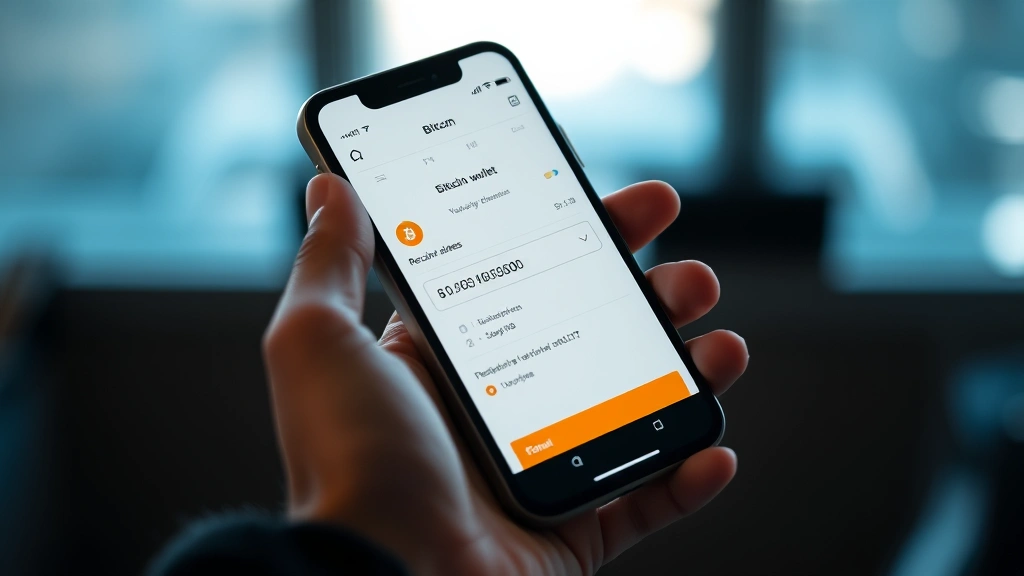
The Coinbase mobile application (available on both iOS and Android) provides an equally convenient way to access your Bitcoin address while on the go. The process is nearly identical to the web version:
- Open the Coinbase App: Launch the Coinbase app on your smartphone and log in with your credentials.
- Access Your Assets: Tap the “Assets” tab at the bottom of the screen (on iOS) or navigate to your portfolio view (on Android).
- Select Bitcoin: Scroll through your asset list and tap on Bitcoin to view your account details.
- Tap Receive: On the Bitcoin account screen, you’ll see action buttons. Tap the “Receive” button.
- Display Your Address: Your Bitcoin address will appear on the screen, along with a QR code for easy sharing.
- Share or Copy: You can tap “Copy” to copy the address, or tap the share icon to send it via email, message, or other apps.
The mobile app is particularly handy because it makes it easy to show your QR code to someone who wants to send you Bitcoin. Many Bitcoin wallets and payment applications can scan QR codes directly, making this method faster and less error-prone than typing out a long address manually.
Security Best Practices for Your Bitcoin Address
While your Bitcoin address itself is public information, there are important security considerations to keep in mind when managing it on Coinbase or any other platform. Understanding these practices will help protect your funds and maintain your privacy.
Verify Address Accuracy: When sending Bitcoin to an address, always double-check that you’ve copied it correctly. Bitcoin transactions are irreversible, so if you send funds to the wrong address, they cannot be recovered. Copy-paste errors are more common than you might think, so consider verifying the first few and last few characters of an address before confirming a transaction.
Use Address Whitelisting: Coinbase offers an address whitelisting feature that allows you to pre-approve specific addresses for withdrawals. This adds an extra layer of security by ensuring that funds can only be sent to addresses you’ve explicitly approved. If your account is ever compromised, this feature can prevent unauthorized withdrawals.
Enable Two-Factor Authentication: Make sure your Coinbase account has two-factor authentication (2FA) enabled. This prevents unauthorized access to your account even if someone obtains your password. Use an authenticator app rather than SMS-based authentication when possible, as SMS is vulnerable to SIM swapping attacks.
Understand Privacy Implications: Since Bitcoin transactions are recorded on a public blockchain, anyone can see the transaction history associated with your address. If you share your address publicly (for example, on social media or a website), people will be able to see your transaction history and Bitcoin holdings. Consider using separate addresses for different purposes if privacy is a concern.
For long-term Bitcoin holdings and larger amounts, many investors consider moving their funds to a diversified storage strategy that may include hardware wallets or other self-custody solutions. This reduces counterparty risk, though it also places full responsibility for security on you.
Common Issues and Troubleshooting
Address Not Displaying: If you’re having trouble seeing your Bitcoin address, try refreshing the page or closing and reopening the app. Clearing your browser cache or app cache can also resolve display issues. If the problem persists, contact Coinbase support.
Multiple Addresses: You may notice that Coinbase shows you different addresses at different times. This is by design—Coinbase generates a new address for each transaction as a privacy feature. All of these addresses belong to your account, and Bitcoin sent to any of them will appear in your account balance.
Address Format Confusion: If you’re receiving Bitcoin from an external source and the address format looks different than expected, don’t panic. As long as it’s a valid Bitcoin address from your Coinbase account, it will work correctly. Bitcoin address formats vary, but they’re all compatible with the Bitcoin network.
Receiving Delays: Bitcoin transactions typically confirm within 10-30 minutes, though network congestion can cause delays. If you’re expecting a Bitcoin deposit that hasn’t arrived within an hour, check the transaction ID on a blockchain explorer to verify that the transaction was actually sent to your address.
Advanced Address Management Features
Beyond simply finding and copying your address, Coinbase offers several advanced features for users who want more control over their Bitcoin management. Understanding these features can help you optimize your cryptocurrency strategy and align it with your overall financial goals, especially if you’re implementing a structured approach to setting investment goals.
Address Labels: In your Coinbase account settings, you can add labels and notes to addresses you frequently receive Bitcoin from or send Bitcoin to. This organizational feature helps you keep track of which addresses belong to which contacts or purposes.
Transaction History: Coinbase provides a detailed transaction history associated with each address. You can view incoming and outgoing transactions, timestamps, and amounts. This information is valuable for tax reporting and auditing purposes.
Address Monitoring: Some advanced users set up monitoring systems for their Coinbase addresses using blockchain analysis tools. This allows them to track the movement of their Bitcoin across the network, though such monitoring is primarily useful for educational purposes or advanced portfolio management.
Integration with External Wallets: If you want to move your Bitcoin off Coinbase, you can withdraw to any Bitcoin address, including addresses from hardware wallets, software wallets, or other exchanges. The process is simple: go to your Bitcoin account, click “Send,” paste the destination address, and confirm the transaction.
When considering whether to keep your Bitcoin on Coinbase or move it elsewhere, consider factors like your investment timeline, whether you’re planning to actively trade, and your risk tolerance. Understanding why Bitcoin prices fluctuate and potential market downturns can help inform these decisions.

FAQ
Is it safe to share my Bitcoin address with anyone?
Yes, it’s completely safe to share your Bitcoin address publicly. Your address is like a bank account number—people need it to send you money, but they can’t access your funds with just the address. Only your private key (which Coinbase keeps secure) can authorize transactions from your account.
Can I change my Bitcoin address on Coinbase?
You don’t need to manually change your address. Coinbase automatically generates new addresses for receiving Bitcoin as a privacy feature. However, all your previous addresses remain active and functional for receiving Bitcoin.
What if I send Bitcoin to the wrong address?
Bitcoin transactions are irreversible. If you send Bitcoin to an address you don’t control, the funds cannot be recovered. Always verify addresses carefully before sending Bitcoin, and use Coinbase’s address whitelisting feature for added security.
How long does it take to receive Bitcoin on Coinbase?
Bitcoin transactions typically confirm within 10-30 minutes, though network congestion can cause delays. Once a transaction receives sufficient confirmations (usually 3-6), the Bitcoin will be credited to your Coinbase account.
Can I have multiple Bitcoin addresses on Coinbase?
Yes, Coinbase generates multiple addresses for your Bitcoin account as part of its normal operation. You can receive Bitcoin to any of these addresses, and the funds will all appear in your single Bitcoin account balance.
What’s the difference between my Bitcoin address and my wallet address?
In the context of Coinbase, these terms refer to the same thing. Your Bitcoin address is the unique identifier for your Coinbase Bitcoin wallet. However, if you use external wallets, each wallet will have its own distinct address.
Is there a fee to receive Bitcoin on Coinbase?
No, receiving Bitcoin on Coinbase is completely free. You only pay fees when you send Bitcoin or conduct other transactions. The person sending you Bitcoin may pay network fees depending on network conditions, but you won’t incur any charges for receiving funds.
Conclusion: Finding and managing your Bitcoin address on Coinbase is a fundamental skill for anyone working with cryptocurrency. Whether you’re a beginner just starting your Bitcoin journey or an experienced investor managing a substantial portfolio, knowing how to quickly access your address and understanding the security implications will serve you well. Coinbase’s user-friendly interface makes this process accessible to everyone, and the platform’s security features provide peace of mind. Remember to always verify addresses carefully, enable two-factor authentication, and consider your overall cryptocurrency strategy as part of your broader financial planning. For more information about cryptocurrency markets and investment strategies, explore additional resources on blockchain technology and market analysis from reputable sources like CoinDesk, the SEC, and Coinbase’s educational resources.


