Find Bitcoin Address on Coinbase: Quick Steps Guide
Getting your Bitcoin address on Coinbase is one of the most fundamental tasks you’ll perform as a cryptocurrency holder. Whether you’re receiving Bitcoin from another user, setting up recurring purchases, or managing your digital assets, knowing how to locate and use your Bitcoin address is essential. Coinbase, one of the world’s leading cryptocurrency exchanges, makes this process straightforward and secure for both beginners and experienced traders.
Your Bitcoin address is essentially your digital wallet identifier—a unique string of characters that allows others to send you Bitcoin. Unlike your Coinbase account credentials, your Bitcoin address is safe to share publicly. In this comprehensive guide, we’ll walk you through every step of finding your Bitcoin address on Coinbase, understanding what it is, and best practices for using it securely.
Understanding Your Bitcoin Address
Before diving into the steps to retrieve your Bitcoin address on Coinbase, it’s important to understand what a Bitcoin address actually is and why it matters. A Bitcoin address is a unique identifier composed of alphanumeric characters, typically appearing as a long string of letters and numbers. Bitcoin addresses serve as the destination for Bitcoin transactions, similar to how an email address receives messages or a bank account number receives deposits.
Coinbase generates Bitcoin addresses for each user to facilitate receiving cryptocurrency. These addresses are cryptographically secure and tied directly to your Coinbase account’s Bitcoin wallet. When someone wants to send you Bitcoin, they’ll need your address. The beauty of Bitcoin addresses is that they’re completely safe to share publicly—unlike your private keys or seed phrases, which should never be disclosed to anyone.
There are different types of Bitcoin addresses, each starting with different characters. Legacy addresses begin with “1”, SegWit addresses start with “3”, and native SegWit addresses begin with “bc1”. Coinbase typically generates native SegWit addresses by default, which offer improved efficiency and lower transaction fees. Understanding these distinctions helps you recognize legitimate addresses and avoid potential scams.
When you invest in cryptocurrency through Coinbase, you’re establishing a relationship with one of the most regulated and secure platforms in the industry. Your Bitcoin address is your entry point into the blockchain ecosystem, making it crucial to know how to access and manage it properly.
Step-by-Step Guide to Find Your Bitcoin Address
Finding your Bitcoin address on Coinbase is a simple process that takes just a few clicks. Here’s the most reliable method for both web and mobile platforms:
For Web Browser Users:
- Log into your Coinbase account at coinbase.com with your email and password
- Click on “Accounts” in the left sidebar menu
- Locate your Bitcoin wallet and click on it to open the wallet details
- Click the “Receive” button, which is typically displayed prominently
- Your Bitcoin address will appear on the screen, displayed as a long string of characters
- You can copy this address by clicking the copy icon next to it
- Consider taking a screenshot or noting this address for future reference
This process ensures you’re accessing your official Coinbase Bitcoin wallet address directly from the source. The interface is designed to be user-friendly, with clear labeling to prevent confusion between different cryptocurrency wallets you might maintain.
The “Receive” button is your gateway to sharing your Bitcoin address with others. Once you click it, Coinbase displays your address in multiple formats—both as text and as a QR code. The QR code is particularly useful if you’re receiving Bitcoin from someone with a mobile wallet, as they can simply scan the code rather than typing out your entire address manually.
Many users find it helpful to bookmark this page or save their Bitcoin address in a secure location. However, remember that your Bitcoin address is not sensitive information—you can share it freely with anyone who wants to send you Bitcoin.
Desktop vs Mobile: Finding Your Address
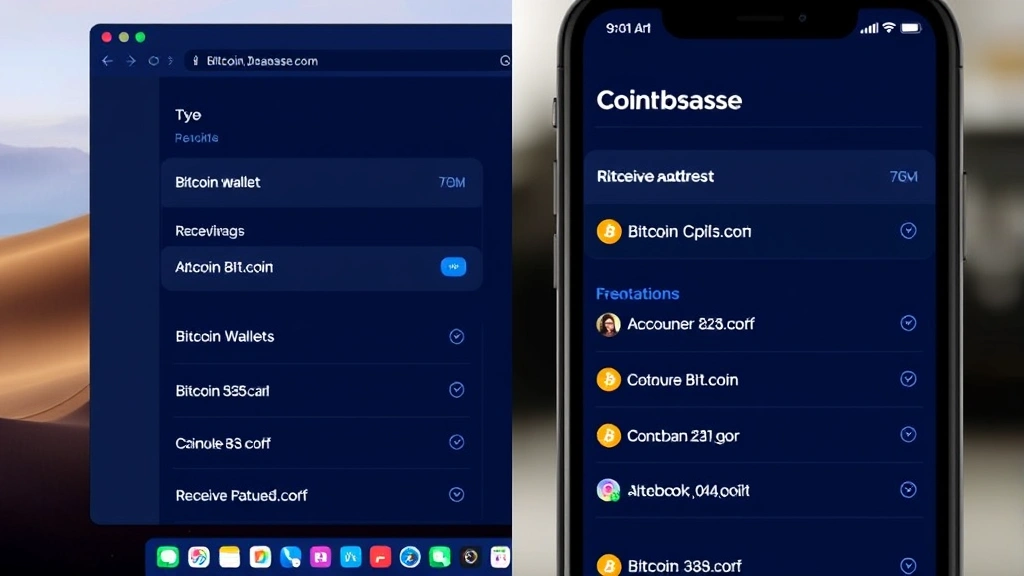
Coinbase offers both desktop and mobile applications, and the process for finding your Bitcoin address varies slightly between platforms. Understanding both methods ensures you can access your address regardless of which device you’re using.
Mobile App Instructions (iOS and Android):
- Open the Coinbase mobile app and log in
- Tap on the “Accounts” tab at the bottom of the screen
- Select your Bitcoin wallet from the list of assets
- Tap the “Receive” button (usually displayed at the bottom)
- Your Bitcoin address appears with options to copy or share
- You can also tap “Share” to send your address via text, email, or other messaging apps
The mobile interface is optimized for quick access and on-the-go transactions. The QR code feature is particularly valuable on mobile devices, as it allows for seamless sharing with other mobile wallet users. Many people prefer the mobile method because it’s faster when you need your address immediately.
Key Differences Between Platforms:
The desktop version provides a more comprehensive view of your account, including transaction history and detailed wallet information. The mobile app prioritizes speed and accessibility, making it ideal for quick lookups. Both platforms display the same Bitcoin address—they’re simply different interfaces to access the same information.
When managing asset allocation across multiple accounts, having access to your Bitcoin address on both desktop and mobile ensures you can manage your cryptocurrency holdings efficiently from anywhere.
Security Considerations for Your Bitcoin Address
While your Bitcoin address itself is public information, understanding security best practices is crucial for protecting your cryptocurrency holdings. Your address is only one component of your security infrastructure—your private keys and seed phrases are what truly matter.
What You Should Never Share:
- Your private key—this grants complete control of your Bitcoin
- Your seed phrase or recovery words—these can regenerate your wallet
- Your Coinbase password or two-factor authentication codes
- Screenshots showing your full wallet balance to untrusted sources
What’s Safe to Share:
Your Bitcoin address is completely safe to share. In fact, you must share it for others to send you Bitcoin. Consider creating a public profile or website listing your Bitcoin address if you frequently receive payments.
Coinbase implements multiple security layers to protect your account. Two-factor authentication (2FA) is highly recommended and should be enabled immediately after creating your account. This adds an extra verification step whenever you access your account from a new device, significantly reducing the risk of unauthorized access.
When receiving Bitcoin, always verify that the sender is using the correct address. Scammers sometimes attempt to substitute a similar-looking address to intercept payments. Double-check the first few and last few characters of any address before confirming a transaction.
Understanding risk tolerance extends beyond investment decisions—it includes security practices. Conservative users might prefer keeping larger amounts in cold storage (offline wallets) rather than on exchange platforms like Coinbase.
Multiple Addresses and Address Generation
One important feature of Coinbase is that it can generate multiple Bitcoin addresses for your account. This functionality provides additional privacy and organizational benefits, though most users find a single address sufficient for their needs.
Why Multiple Addresses Matter:
- Privacy: Using different addresses for different transactions can enhance privacy on the blockchain
- Organization: Separating addresses by purpose or source helps track incoming payments
- Security: If one address is compromised, others remain unaffected
Coinbase automatically generates a new address each time you click the “Receive” button, though the platform typically shows you the same primary address for simplicity. All generated addresses are valid and will receive Bitcoin to your Coinbase account.
The blockchain is transparent, meaning anyone can view all transactions associated with your Bitcoin address. If privacy is a concern, using multiple addresses and rotating them can help obscure your transaction history. However, for most users receiving payments for legitimate purposes, a single address is perfectly adequate.
Troubleshooting Common Issues
Most users find accessing their Bitcoin address straightforward, but occasionally issues arise. Here are solutions to common problems:
Address Not Displaying:
If your Bitcoin address doesn’t appear after clicking “Receive,” try refreshing the page or logging out and back in. Sometimes browser cache issues prevent proper display. Clearing your browser’s cache and cookies often resolves this issue quickly.
Receiving Bitcoin Takes Too Long:
Bitcoin transactions typically confirm within 10-60 minutes, though network congestion can extend this. Coinbase may require additional confirmation time before crediting your account. Check the transaction on a blockchain explorer to verify the transaction was initiated.
Lost or Forgotten Address:
You can always retrieve your Bitcoin address by logging into Coinbase and following the steps outlined above. There’s no need to worry if you forget it—Coinbase maintains your address permanently in your account settings.
Receiving to Wrong Address:
If you accidentally sent Bitcoin to an incorrect address, the transaction cannot be reversed. Bitcoin transactions are irreversible once confirmed. Always verify addresses before sending cryptocurrency.
For additional support, Coinbase provides comprehensive help documentation and customer support options. Their support team can assist with account access issues, security concerns, and other technical problems.
FAQ
Is my Bitcoin address the same as my Coinbase account login?
No, your Bitcoin address and Coinbase login credentials are completely separate. Your Bitcoin address is a public identifier for receiving cryptocurrency, while your login credentials (email and password) grant access to your account. Never share your login information, but your Bitcoin address is safe to share publicly.
Can someone hack my account using just my Bitcoin address?
Your Bitcoin address alone cannot be used to hack your Coinbase account. However, hackers could potentially identify you as a Bitcoin holder and target you with phishing attempts. Never click suspicious links claiming to verify your Bitcoin address, and always access Coinbase directly through their official website or app.
How often should I change my Bitcoin address?
You don’t need to change your Bitcoin address. A single address can be used indefinitely and will continue to receive Bitcoin sent to it. Some users prefer rotating addresses for privacy reasons, but it’s entirely optional. When you set investment goals, address management typically isn’t a primary concern unless privacy is critical to your strategy.
What’s the difference between a Bitcoin address and a wallet?
A Bitcoin address is a specific identifier within a wallet. Your Coinbase Bitcoin wallet contains your address and manages your Bitcoin holdings. Think of it this way: a wallet is like a bank account, and an address is like the account number. You can have multiple addresses within one wallet.
Can I use the same Bitcoin address for receiving from multiple people?
Yes, absolutely. Your Bitcoin address can receive Bitcoin from unlimited sources. All Bitcoin sent to your address will be credited to your Coinbase account. This is one of the primary advantages of having a Bitcoin address—it serves as a universal receiving identifier.
Is my Coinbase Bitcoin address safe to post on social media?
Yes, posting your Bitcoin address on social media is completely safe. Many cryptocurrency enthusiasts, content creators, and businesses publicly display their Bitcoin addresses for donations or payments. The only risk is identifying yourself as a Bitcoin holder, which could make you a target for phishing scams or social engineering attempts.
What happens if I receive Bitcoin to an address I generated on Coinbase?
Any Bitcoin received at your Coinbase-generated address will be credited directly to your Coinbase Bitcoin wallet. The transaction will appear in your account history, and you’ll have full control over those funds. You can then transfer them, trade them, or hold them within your Coinbase account.
Can I access my Bitcoin address without logging into Coinbase?
No, you must log into your Coinbase account to view your Bitcoin address. This security measure ensures that only authorized users can access wallet information. If you’ve forgotten your login credentials, you can reset your password through Coinbase’s account recovery process.
Why does Coinbase show a QR code with my Bitcoin address?
The QR code is a convenient way to share your Bitcoin address without typing out the long string of characters. Other users can scan the QR code with their mobile wallets, and their apps will automatically populate your address. This reduces errors and speeds up the payment process significantly.
How do Bitcoin whale activities affect my address?
Large Bitcoin whale transactions don’t directly affect your personal Bitcoin address. However, whale activities can influence overall Bitcoin market prices and transaction fees. If you’re receiving Bitcoin when the network is congested due to whale movements, your transaction might take longer to confirm.


