How to Buy Bitcoin on Bit2Me: Step-by-Step Guide
Bit2Me is one of Europe’s most popular cryptocurrency exchanges, offering a user-friendly platform for buying, selling, and managing digital assets. Whether you’re a complete beginner or an experienced trader, this comprehensive guide will walk you through the entire process of purchasing Bitcoin on Bit2Me, from account creation to securing your first cryptocurrency holdings.
The platform has gained significant traction among Spanish and European users due to its intuitive interface, multiple payment options, and robust security features. In this guide, we’ll cover everything you need to know about comprar Bitcoin Bit2Me, including account setup, verification requirements, payment methods, and best practices for securing your investment.
What is Bit2Me and Why Use It?
Bit2Me is a Spanish cryptocurrency exchange platform that serves millions of users across Europe. The platform specializes in making cryptocurrency accessible to everyone, regardless of technical expertise. Before diving into the purchase process, it’s important to understand what cryptocurrency is and how Bitcoin functions within the digital economy.
The exchange offers several advantages that make it an excellent choice for Bitcoin purchases. First, Bit2Me supports multiple payment methods, including bank transfers, credit cards, and debit cards, making it convenient for users with different preferences. Second, the platform maintains strict regulatory compliance with European standards, ensuring your funds and personal information are protected. Third, Bit2Me provides educational resources and customer support in multiple languages, making it accessible to non-native English speakers.
For those new to Bitcoin, we recommend reading our guide on Bitcoin for Dummies to understand the fundamentals before making your first purchase. Understanding how Bitcoin works and its market dynamics will help you make more informed investment decisions.
Creating Your Bit2Me Account
The first step in buying Bitcoin on Bit2Me is creating an account. This process is straightforward and takes only a few minutes to complete.
- Visit the Bit2Me Website: Go to the official Bit2Me website and locate the registration button, typically found in the top-right corner of the homepage.
- Enter Your Email Address: Provide a valid email address that you have access to. This email will be used for account recovery and important notifications.
- Create a Strong Password: Choose a password that combines uppercase letters, lowercase letters, numbers, and special characters. Avoid using easily guessable information like birthdates or common words.
- Accept Terms and Conditions: Review and accept Bit2Me’s terms of service and privacy policy. It’s important to understand their policies before proceeding.
- Verify Your Email: Check your email inbox for a verification link from Bit2Me. Click the link to confirm your email address and activate your account.
Once you’ve completed these steps, your basic Bit2Me account is created. However, you won’t be able to purchase Bitcoin immediately—you’ll need to complete additional verification steps first.
Completing Identity Verification
To comply with Know Your Customer (KYC) regulations and prevent fraud, Bit2Me requires identity verification before you can purchase cryptocurrency. This is a standard requirement across legitimate exchanges and protects both you and the platform.
Level 1 Verification (Basic): This level requires basic personal information including your full name, date of birth, and country of residence. Most users can complete this verification within minutes by providing accurate information matching your official documents.
Level 2 Verification (Intermediate): To purchase larger amounts of Bitcoin, you’ll need to complete Level 2 verification. This requires uploading a government-issued ID (passport, driver’s license, or national ID card) and a proof of address document (utility bill, bank statement, or rental agreement dated within the last three months).
To upload documents successfully:
- Ensure documents are clear, well-lit, and legible
- All four corners of the document should be visible
- The document must be current and not expired (except for proof of address)
- Use JPG or PNG format for image files
- File size should not exceed the specified limits (typically 5-10MB)
Verification typically takes 24-48 hours, though it can sometimes be completed faster during business hours. You’ll receive an email notification once your verification is approved, and you can then proceed to purchase Bitcoin.
Adding Payment Methods
Bit2Me accepts multiple payment methods, providing flexibility for different users. The available options may vary depending on your country of residence and account verification level.
Bank Transfer (SEPA): Single Euro Payments Area (SEPA) transfers are one of the most popular payment methods on Bit2Me. This option is ideal for larger purchases and typically has lower fees. SEPA transfers usually take 1-2 business days to process.
Debit and Credit Cards: Visa and Mastercard are accepted for Bitcoin purchases. Card payments are processed instantly, making them convenient for quick purchases. However, card payments often have higher fees than bank transfers due to payment processor charges.
Other Payment Options: Depending on your location, you may have access to additional payment methods such as Google Pay, Apple Pay, or local payment systems.
To add a payment method:
- Log into your Bit2Me account
- Navigate to the “Payment Methods” or “Wallet” section
- Select “Add Payment Method”
- Choose your preferred payment option
- Enter the required information (card details, bank account information, etc.)
- Verify the payment method through confirmation steps (this may involve a small test transaction)
Once verified, your payment method will be available for Bitcoin purchases.
Buying Bitcoin Step-by-Step
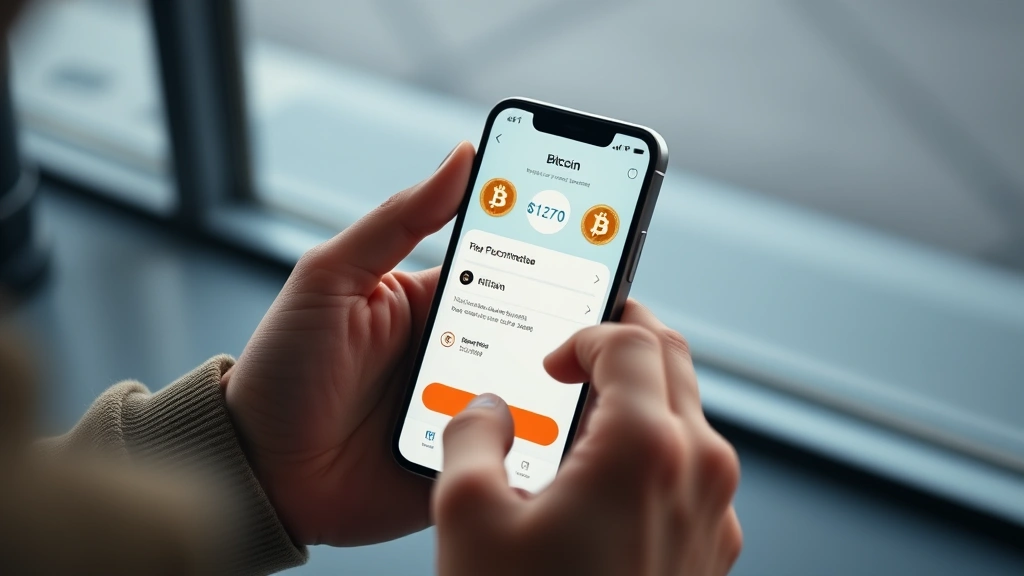
Now that your account is verified and payment methods are added, you’re ready to purchase Bitcoin. Here’s the detailed process:
Step 1: Navigate to the Buy Section Log into your Bit2Me account and look for the “Buy Crypto” or “Buy Bitcoin” button. This is typically prominently displayed on the main dashboard.
Step 2: Select Bitcoin Choose Bitcoin (BTC) from the list of available cryptocurrencies. Bit2Me supports many cryptocurrencies, but we’re focusing on Bitcoin for this guide.
Step 3: Enter Purchase Amount Decide how much Bitcoin you want to buy. You can enter the amount in your local currency (EUR, USD, etc.) and Bit2Me will automatically calculate the corresponding Bitcoin amount based on current market prices. The platform shows real-time exchange rates, so you know exactly what you’re paying.
Step 4: Review the Details Before confirming, review all transaction details including:
- The amount of Bitcoin you’re receiving
- The total cost in your local currency
- Applicable fees
- Exchange rate
- Estimated delivery time
Step 5: Select Payment Method Choose which payment method you want to use for this purchase. Remember that different methods have different fees and processing times.
Step 6: Confirm and Complete Review everything one final time and click “Confirm Purchase” or “Buy Now.” You’ll be directed to complete the payment through your chosen method.
Step 7: Receive Your Bitcoin Once payment is confirmed, your Bitcoin will be credited to your Bit2Me wallet. The time this takes depends on your payment method—card payments are usually instant, while bank transfers may take 1-2 business days.
For investors interested in Bitcoin’s future value, check out our Bitcoin price prediction analysis to understand market trends and potential investment opportunities.
Security Best Practices
Protecting your Bitcoin and account security is paramount. Implement these essential security measures:
Two-Factor Authentication (2FA): Enable 2FA on your Bit2Me account immediately after creation. This adds an extra layer of security by requiring a code from your phone in addition to your password when logging in. Use an authenticator app like Google Authenticator or Authy rather than SMS-based 2FA, as authenticator apps are more secure.
Strong Passwords: Create unique, complex passwords for your Bit2Me account. Avoid reusing passwords from other accounts. Consider using a password manager like Bitwarden or 1Password to generate and store secure passwords.
Secure Your Email: Your email account is the gateway to your cryptocurrency holdings. Enable 2FA on your email account as well, and use a strong, unique password.
Phishing Awareness: Always verify you’re on the official Bit2Me website before logging in. Scammers create fake websites to steal credentials. Bookmark the official site and access it through your bookmark rather than clicking links in emails.
Keep Your Recovery Seed Safe: If you transfer Bitcoin to your own wallet, you’ll receive a recovery seed (a series of 12-24 words). Write this down on paper and store it in a secure location. Never share this seed with anyone.
Regular Account Reviews: Periodically log into your account and review recent activity. Check for unauthorized access or suspicious transactions.
Understanding Fees and Costs
When buying Bitcoin on Bit2Me, you’ll encounter several types of fees. Understanding these costs helps you make informed decisions and avoid surprises.
Trading Fees: Bit2Me charges a percentage-based fee on each transaction, typically ranging from 1-2% depending on your account tier and payment method. Higher verification levels and larger transaction volumes may qualify you for lower fees.
Payment Method Fees: Different payment methods have different fees. Bank transfers (SEPA) typically have lower fees (0-1%), while credit and debit card payments incur higher fees (2-3%) due to payment processor charges.
Network Fees: When you transfer Bitcoin from Bit2Me to an external wallet, you’ll pay blockchain network fees. These fees fluctuate based on network congestion and are paid to Bitcoin miners, not to Bit2Me.
Spread Costs: The price you pay on Bit2Me may slightly differ from the market price due to the bid-ask spread. This is normal and represents the platform’s cost of providing liquidity.
To minimize costs, consider these strategies:
- Use bank transfers for larger purchases to benefit from lower fees
- Make fewer, larger purchases rather than many small ones
- Monitor Bitcoin network fees and transfer during periods of lower congestion
- Take advantage of any promotional offers Bit2Me may provide to new users
Transferring Bitcoin to Your Wallet
While Bit2Me provides wallet services, many users prefer to store their Bitcoin in personal wallets for added security and control. This process is called “self-custody.”
Why Transfer Bitcoin? The crypto adage “not your keys, not your coins” emphasizes the importance of controlling your private keys. By transferring Bitcoin to a personal wallet, you maintain full control and reduce reliance on exchange security.
Types of Wallets:
- Hardware Wallets: Physical devices like Ledger or Trezor offer maximum security for long-term storage
- Software Wallets: Applications like Electrum or BlueWallet provide a balance of security and convenience
- Mobile Wallets: Apps like Trust Wallet or Coinbase Wallet offer convenient access for regular transactions
How to Transfer Bitcoin from Bit2Me:
- Open your personal Bitcoin wallet and locate your receiving address (a long alphanumeric string)
- Log into Bit2Me and navigate to your Bitcoin wallet
- Click “Send” or “Withdraw”
- Paste your wallet address in the recipient field
- Enter the amount of Bitcoin you want to transfer
- Review the network fee (you can sometimes choose between fast and economical options)
- Confirm the transaction
- Monitor the transaction on a blockchain explorer like Blockchain.com to confirm it’s processing
Bitcoin transfers typically take 10-60 minutes, depending on network congestion. Once confirmed, your Bitcoin is stored in your personal wallet.
Investment Diversification: While Bitcoin is a popular cryptocurrency investment, consider diversifying your portfolio. If you’re interested in traditional investments, you might explore the difference between ETF and mutual fund strategies, or research dividend stocks for balanced portfolio construction. Additionally, real estate investment remains a viable alternative asset class worth considering.
FAQ
Is Bit2Me Safe?
Yes, Bit2Me is a regulated cryptocurrency exchange operating under European financial regulations. The platform employs industry-standard security measures including encryption, two-factor authentication, and regular security audits. However, no platform is completely risk-free, so always implement personal security best practices.
What is the Minimum Amount of Bitcoin I Can Buy on Bit2Me?
Bit2Me typically allows purchases starting from very small amounts (often as little as €10-20), making Bitcoin accessible to beginners. The exact minimum may vary depending on your payment method and account verification level.
How Long Does Verification Take?
Basic verification (Level 1) is usually instant, while intermediate verification (Level 2) typically takes 24-48 hours. During business hours, verification may be completed faster.
Can I Buy Bitcoin Anonymously on Bit2Me?
No, Bit2Me requires identity verification to comply with KYC regulations. This is standard across legitimate exchanges worldwide and helps prevent money laundering and fraud.
What Should I Do If I Forgot My Bit2Me Password?
Click the “Forgot Password” link on the login page. You’ll receive an email with instructions to reset your password. Use a strong, unique password for your new credentials.
Are There Any Limits on How Much Bitcoin I Can Buy?
Yes, purchase limits depend on your verification level and account history. Level 1 verification typically allows smaller purchases, while Level 2 verification enables larger transactions. Bit2Me may also impose daily or monthly limits.
How Do I Know the Current Bitcoin Price on Bit2Me?
Bit2Me displays real-time Bitcoin prices on the buy page. These prices reflect current market conditions and include Bit2Me’s spread. You can also check external price sources like CoinMarketCap or CoinGecko to compare prices across different exchanges.
Can I Sell Bitcoin on Bit2Me?
Yes, Bit2Me allows you to sell Bitcoin and convert it back to your local currency. The process is similar to buying, but in reverse. Navigate to the “Sell” section, select Bitcoin, enter the amount, and choose your withdrawal method.
What Happens If Bit2Me Goes Out of Business?
If your Bitcoin is stored in your Bit2Me wallet, it would be at risk. This is why transferring your Bitcoin to a personal wallet is important. Your Bitcoin is secured by the blockchain itself, not by the exchange.
Does Bit2Me Offer Bitcoin Staking or Interest?
Bitcoin doesn’t offer staking like some other cryptocurrencies, but Bit2Me may offer interest-bearing savings products. Check the platform for current offerings, though be aware these products come with their own risks.
How Can I Reduce Bitcoin Transaction Fees?
Use bank transfers instead of credit cards, make larger purchases to spread fees across more Bitcoin, and transfer Bitcoin during periods of low network congestion (typically off-peak hours). You can monitor network fees on sites like Mempool.space.
Is There a Better Time to Buy Bitcoin?
Timing the market is difficult, even for experienced investors. Instead of trying to catch the perfect price, consider dollar-cost averaging—buying fixed amounts at regular intervals. This strategy reduces the impact of price volatility and removes emotion from your investment decisions.


