
Find Your Bitcoin Address on Coinbase: Quick Steps
Managing your cryptocurrency holdings requires understanding the fundamental mechanics of wallet addresses and how to access them on major exchanges like Coinbase. Your Bitcoin address is essentially your digital identifier on the blockchain—a unique string of characters that allows others to send you Bitcoin and enables you to receive and manage your funds securely. Whether you’re a seasoned investor or just beginning your cryptocurrency journey, knowing how to locate and use your Bitcoin address on Coinbase is essential for smooth transactions and proper portfolio management.
Coinbase, one of the world’s most popular cryptocurrency exchanges, makes the process straightforward for both desktop and mobile users. This comprehensive guide will walk you through every step of finding your Bitcoin address, understanding what it means, and using it safely. We’ll also explore best practices for managing multiple addresses, security considerations, and how Bitcoin addresses fit into your broader investment strategy.
Understanding Bitcoin Addresses on Coinbase
Before diving into the technical steps, it’s important to understand what a Bitcoin address actually is and why Coinbase generates them for you. A Bitcoin address is a unique identifier composed of a long string of alphanumeric characters—typically starting with 1, 3, or bc1 depending on the address type. When you hold Bitcoin on Coinbase, the exchange generates addresses specifically for you to receive funds from other wallets or individuals.
Coinbase operates as a custodial wallet, meaning the exchange holds your private keys on your behalf. This differs from non-custodial wallets where you control your own private keys entirely. The trade-off is convenience and user-friendly interfaces in exchange for trusting Coinbase with your security infrastructure. Your Bitcoin address on Coinbase is tied to your account and cannot be used outside the Coinbase ecosystem without moving your Bitcoin off the exchange.
Understanding the relationship between your address and your account balance is crucial. Each address generated by Coinbase is linked to your account, and any Bitcoin sent to that address will appear in your Coinbase wallet. However, Coinbase may generate new addresses for you periodically for privacy reasons—a practice that enhances security by making it harder to track all your transactions.
There are three main types of Bitcoin addresses you might encounter: Legacy addresses (starting with 1), Pay-to-Script-Hash addresses (starting with 3), and Segwit addresses (starting with bc1). Coinbase typically generates Segwit addresses by default as they’re more efficient and cost less in transaction fees. All three types are fully compatible with Bitcoin’s network, so you can receive Bitcoin regardless of which type your address is.

Step-by-Step Guide: Finding Your Bitcoin Address
The process of finding your Bitcoin address on Coinbase is remarkably simple and can be completed in just a few clicks or taps. The fundamental principle remains the same across platforms: navigate to your Bitcoin wallet, locate the receive option, and your address will be displayed prominently. Coinbase has designed this process with user experience in mind, recognizing that many users will need to access this information frequently.
Before you proceed, ensure you’re logged into your Coinbase account with the correct credentials. If you haven’t verified your identity yet, you may need to complete Coinbase’s identity verification process before you can generate receive addresses. This is part of their Know Your Customer (KYC) compliance requirements, which all regulated exchanges must follow.
Your Bitcoin address serves as your receiving credentials on the blockchain. Once you have it, you can share it with anyone who wants to send you Bitcoin. Unlike your private key, which must always remain secret, your Bitcoin address is safe to share publicly. In fact, many people include their Bitcoin addresses in email signatures, on websites, or in social media bios to encourage donations or payments.
Desktop Instructions
Step 1: Log In to Your Coinbase Account
Open your web browser and navigate to Coinbase.com. Enter your email address and password to access your account. If you have two-factor authentication enabled (which is highly recommended), you’ll need to verify your identity using your chosen method—whether that’s an authenticator app, SMS, or security key.
Step 2: Navigate to Your Wallets
Once logged in, look for the “Wallets” tab or section in the main navigation menu. On Coinbase’s current interface, this is typically found in the top navigation bar. Click on it to view all your cryptocurrency wallets, which will display your holdings across different assets including Bitcoin, Ethereum, and others.
Step 3: Select Your Bitcoin Wallet
From your list of wallets, locate and click on your Bitcoin wallet. You’ll see your current Bitcoin balance displayed here along with recent transaction history. This is your primary Bitcoin holding account on Coinbase.
Step 4: Click the Receive Button
Within your Bitcoin wallet view, you’ll see several action buttons. Look for the “Receive” button—it’s typically blue or prominently colored to make it easy to find. Click this button to generate your receive address.
Step 5: Copy Your Bitcoin Address
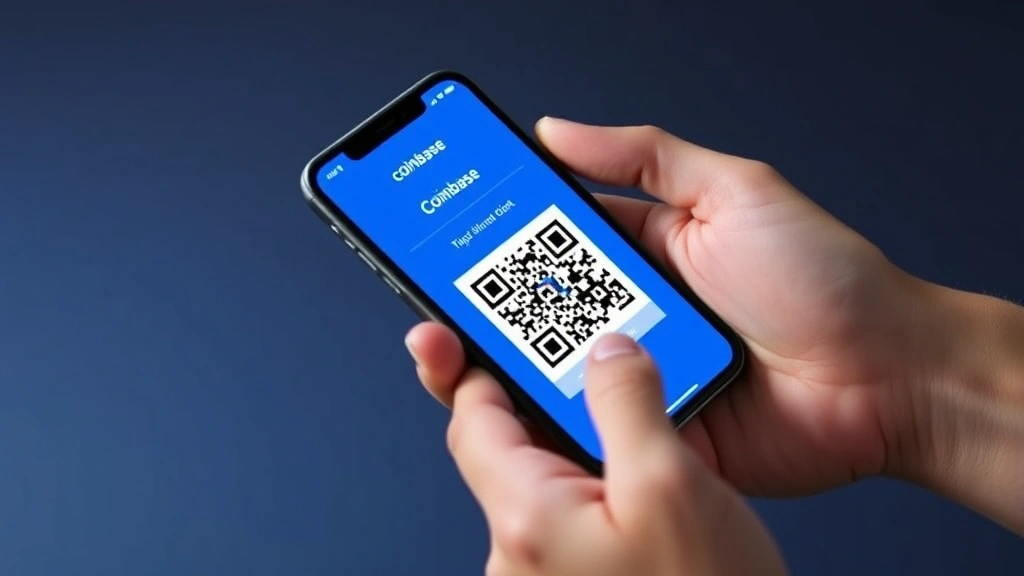
After clicking Receive, Coinbase will display your Bitcoin address in both text format and as a QR code. You can copy the address by clicking the copy icon next to it, or you can scan the QR code with another device to share your address without typing. The QR code option is particularly useful for mobile-to-mobile transfers or when you want to avoid transcription errors.
Step 6: Store or Share Your Address
Once you have your address, you can paste it wherever you need it. Whether you’re providing it to a friend, entering it into a payment form, or storing it for future reference, your address is now ready to use. Remember that you can safely share this address with anyone—it only allows them to send Bitcoin to you, not to access your funds or private information.
Mobile App Instructions
The Coinbase mobile app makes accessing your Bitcoin address even more convenient, especially when you’re on the go. The process is slightly streamlined compared to the desktop version but follows the same basic principles.
Step 1: Open the Coinbase App
Launch the Coinbase app on your iOS or Android device. Make sure you’re using the official Coinbase app and not a third-party application. You can verify this by checking that it’s published by Coinbase, Inc. in your app store.
Step 2: Log In (If Needed)
If you’re not already logged in, enter your credentials. The mobile app may remember your login information for convenience, but you’ll still need to pass any security checks like two-factor authentication.
Step 3: Navigate to Your Assets
On the mobile app’s main screen, you’ll typically see a list of your assets or holdings. Look for Bitcoin in this list and tap on it to open your Bitcoin wallet details.
Step 4: Tap the Receive Button
At the bottom of your Bitcoin wallet screen, you’ll see action buttons including “Receive.” Tap this button to access your receiving address.
Step 5: View and Copy Your Address
The app will display your Bitcoin address prominently, along with a QR code. You can tap “Copy” to copy the address to your clipboard, or you can use the QR code for seamless sharing. The mobile app’s QR code is particularly useful because you can easily share it through messaging apps, email, or by showing it on your screen.
Step 6: Share or Save as Needed
Once copied, you can paste your address into any application or sharing platform. The mobile app also allows you to share directly through various built-in sharing options if you prefer.
Security Considerations
While your Bitcoin address itself is public information, there are important security practices to follow when managing it. First and foremost, never share your private key with anyone, ever. Your private key is what gives someone access to your funds, while your address only allows them to send you Bitcoin. This distinction is critical to protecting your assets.
When you set investment goals that include Bitcoin, understanding address security becomes part of your overall strategy. Each address you use creates a transaction trail on the blockchain, which is public and permanent. For this reason, some privacy-conscious users prefer to use a new address for each transaction, and Coinbase supports this practice.
Be cautious of phishing attempts where malicious actors try to trick you into visiting fake Coinbase websites or clicking suspicious links. Always access Coinbase directly through your browser’s bookmarks or by typing the URL yourself. Never click links in emails claiming to be from Coinbase asking you to verify your address or account information.
If you’re receiving Bitcoin from someone else, always verify the address before confirming the transaction. A single character difference in an address could send your Bitcoin to an entirely different wallet. Bitcoin transactions are irreversible, so confirming address accuracy is essential.
When starting with small investments, security practices are just as important as with larger amounts. Develop good habits early by always double-checking addresses and keeping your Coinbase account secure with strong passwords and two-factor authentication.
Multiple Addresses and Advanced Features
Coinbase may generate multiple Bitcoin addresses for your account, and understanding how this works helps you manage your funds more effectively. The exchange does this for privacy reasons—using different addresses for different transactions makes it harder for outside observers to connect all your transactions together and determine your total holdings.
If you’re implementing a sophisticated investment strategy, you might want to diversify your investment portfolio across multiple exchange accounts or wallet types. Some investors maintain Bitcoin on Coinbase for easy trading while keeping additional Bitcoin in hardware wallets for long-term storage. Understanding your address structure helps you manage this complexity.
For users interested in more advanced features, Coinbase offers several options. Coinbase Wallet is a separate, non-custodial wallet application that gives you direct control over your private keys. This is different from your Coinbase exchange account and provides additional privacy and security for long-term holders. You can transfer Bitcoin from your Coinbase exchange account to your Coinbase Wallet address if you prefer self-custody.
Some users also explore techniques like dollar cost averaging when building their Bitcoin positions. Regardless of your strategy, your ability to receive Bitcoin through multiple addresses gives you flexibility in how you structure your holdings and manage your portfolio.
Advanced users might also be interested in understanding different investing approaches and how they apply to cryptocurrency. Whether you’re actively trading or holding Bitcoin long-term, knowing how to manage your addresses is fundamental to executing your strategy effectively.
Common Issues and Troubleshooting
Sometimes users encounter issues when trying to find or use their Bitcoin address on Coinbase. One common problem is not being able to see the Receive button, which typically happens if your account hasn’t completed identity verification. Coinbase requires all users to verify their identity before they can receive cryptocurrency, so complete this process first if you haven’t already.
Another frequent issue is confusion about address changes. Coinbase may generate a new address for you automatically, and this is completely normal. Both old and new addresses remain valid for receiving Bitcoin—Coinbase will route any incoming Bitcoin to the correct wallet regardless of which address was used.
Some users report difficulty copying their address on mobile devices. If this happens, try refreshing the app or logging out and back in. Occasionally, app glitches can prevent the copy function from working properly, but restarting the app usually resolves this issue.
If you’re having trouble accessing your account at all, check your internet connection first. Ensure you’re using the official Coinbase website or app and not a third-party service. If you’re still having issues, Coinbase’s customer support team can help you regain access to your account.
Never share screenshots of your full wallet or address information with unknown parties, even if they claim to be from Coinbase support. Legitimate support staff will never ask you to share this information.
FAQ
Can I change my Bitcoin address on Coinbase?
You cannot manually change your Bitcoin address, but Coinbase may generate new addresses for your account over time. All previously generated addresses remain valid for receiving Bitcoin, so you don’t need to worry about old addresses becoming inactive. This automatic generation is a security feature designed to enhance your privacy.
Is my Bitcoin address the same as my Coinbase account email?
No, your Bitcoin address and email address are completely separate. Your email is used to log into Coinbase, while your Bitcoin address is a unique identifier on the Bitcoin blockchain. Never confuse the two or try to use your email address as a Bitcoin address.
What happens if I share my Bitcoin address publicly?
Sharing your Bitcoin address publicly is safe and is actually common practice. Many cryptocurrency enthusiasts and businesses display their Bitcoin addresses on websites or social media to accept payments. Sharing your address only allows people to send you Bitcoin—it does not give them access to your funds or private information.
Can someone hack my account if they know my Bitcoin address?
Knowing your Bitcoin address alone does not allow someone to hack your account or access your funds. Your Bitcoin address is meant to be public. However, never share your private key, password, or two-factor authentication codes with anyone, as these can be used to access your account.
How long is a Bitcoin address?
Bitcoin addresses typically range from 26 to 35 characters in length. The exact length depends on the address type (Legacy, Pay-to-Script-Hash, or Segwit), but all valid addresses fall within this range. Always verify the full address when entering it, as even a single character difference will direct funds to the wrong wallet.
Can I receive Bitcoin from someone using a different exchange?
Yes, absolutely. Your Coinbase Bitcoin address works with the Bitcoin network itself, not just with Coinbase. Anyone using any Bitcoin wallet or exchange can send Bitcoin to your Coinbase address. This is one of the key advantages of blockchain technology—it enables seamless transfers across different platforms and services.
What if I lose my Bitcoin address?
You can always regenerate your Bitcoin address by following the same steps outlined in this guide. Log into Coinbase, navigate to your Bitcoin wallet, and click Receive to view your current address. Your address is always available in your account, so you never truly lose it.
Are there fees for receiving Bitcoin on Coinbase?
Coinbase does not charge fees for receiving Bitcoin. You only pay fees when you send Bitcoin out of Coinbase or trade on the platform. Receiving Bitcoin is completely free, which is why many people use Coinbase addresses to receive funds from various sources.
Can I have multiple Bitcoin addresses on Coinbase?
Yes, Coinbase may generate multiple Bitcoin addresses for your account automatically. All of these addresses are linked to your account and will display any received Bitcoin in your main Bitcoin wallet balance. You can use any of these addresses to receive funds.


