How to Get Your Bitcoin Address on Coinbase: Complete User Guide
If you’re new to cryptocurrency or recently opened a Coinbase account, finding your Bitcoin address might seem confusing at first. Your Bitcoin address is essentially your unique identifier on the blockchain—think of it like an email address or bank account number, but for receiving cryptocurrency. Understanding how to locate and use your Bitcoin address safely is one of the most fundamental skills you’ll need as a crypto user.
Coinbase, one of the world’s largest and most user-friendly cryptocurrency exchanges, makes obtaining your Bitcoin address straightforward through their intuitive platform. Whether you’re planning to receive Bitcoin from friends, family, or other exchanges, or you’re just curious about how the process works, this guide will walk you through every step. We’ll cover not just the technical how-to, but also important security considerations and best practices you should follow.
Understanding Bitcoin Addresses
Before diving into the technical steps, it’s important to understand what a Bitcoin address actually is. A Bitcoin address is a unique string of characters—typically 26 to 35 alphanumeric characters long—that serves as your public key on the Bitcoin blockchain. It’s similar to your email address in that anyone can send you Bitcoin if they have your address, but they cannot access your funds or see your private key.
Bitcoin addresses come in different formats, including Legacy addresses (starting with “1”), SegWit addresses (starting with “3”), and Bech32 addresses (starting with “bc1”). Coinbase typically generates addresses in multiple formats for compatibility, though the Bech32 format is increasingly preferred because it offers better security and lower transaction fees. Understanding what cryptocurrency is and how it works will help you grasp why these technical distinctions matter.
Your Bitcoin address is completely safe to share publicly. Unlike your private key—which you should never share with anyone—your public address is meant to be distributed. Think of it this way: your address is like your home mailing address (public information), while your private key is like the key to your front door (something you must keep secret). Coinbase secures both on your behalf, but understanding this distinction is crucial for your security.
Step-by-Step Guide to Finding Your Address on Coinbase
Step 1: Log Into Your Coinbase Account
First, navigate to Coinbase.com and log into your account using your email address and password. If you have two-factor authentication enabled (which we highly recommend), you’ll need to verify your identity through your chosen method—whether that’s an authenticator app, SMS, or security key. This security layer is essential for protecting your account from unauthorized access.
Step 2: Navigate to Your Accounts
Once logged in, look for the “Accounts” section in the main menu. On the Coinbase web platform, you’ll typically find this in the left sidebar or top navigation. If you’re using the mobile app, tap the menu icon (usually three horizontal lines) to access your accounts. The accounts page shows all your cryptocurrency holdings, including Bitcoin.
Step 3: Select Your Bitcoin Wallet
Find and click on your Bitcoin account or wallet. You should see it listed with your current Bitcoin balance. Each cryptocurrency on Coinbase has its own separate wallet, so make sure you’re selecting Bitcoin specifically (BTC) and not another cryptocurrency like Bitcoin Cash (BCH), which uses different addresses.
Step 4: Click the Receive Button
On your Bitcoin wallet page, locate and click the “Receive” button. This is typically displayed prominently near the “Send” button. Clicking Receive tells Coinbase that you’re ready to accept Bitcoin transfers and will display your receiving address. This is the safe action—you’re not sending anything, just preparing to receive.
Step 5: Copy Your Bitcoin Address
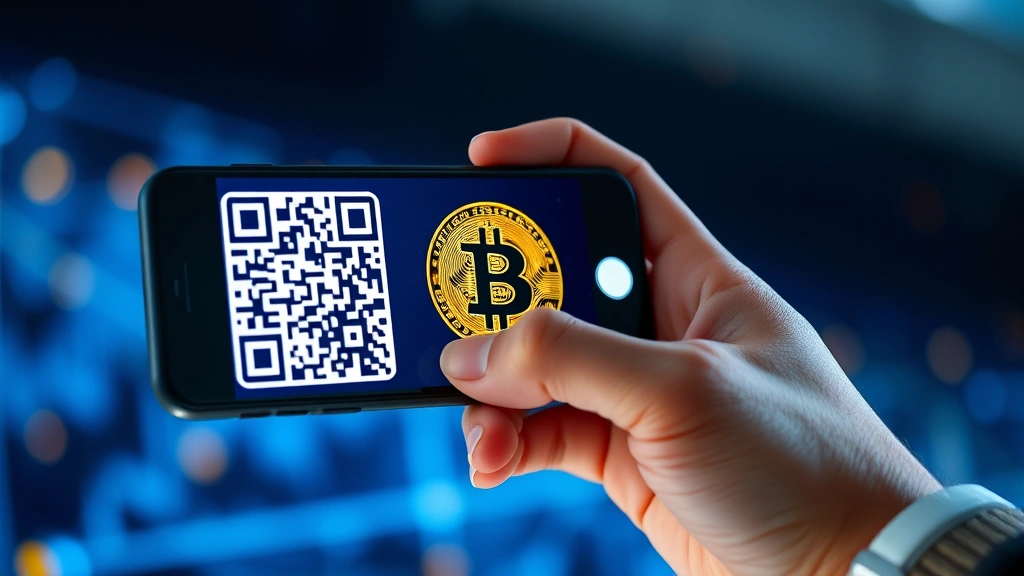
Your Bitcoin address will now be displayed on the screen. You’ll see both the address in text format and a QR code representation. You can click the “Copy” button to copy your address to your clipboard, or you can manually select and copy the text. The QR code is particularly useful if someone is sending you Bitcoin from a mobile wallet—they can simply scan the code rather than typing the long address.
Once you have your address copied or displayed, you can share it with anyone who wants to send you Bitcoin. They can paste it into their wallet’s send field, or they can scan your QR code if you’re in person or screen-sharing.
Security Considerations When Using Your Bitcoin Address
While your Bitcoin address itself is public information and safe to share, there are several important security practices you should follow. First, always verify that you’re on the legitimate Coinbase website (look for the padlock icon and “https://” in your browser). Phishing scams often create fake Coinbase sites to trick users into entering their credentials.
Second, be cautious about sharing your address on public forums or social media. While the address itself cannot be used to steal your funds, combining it with other information about you (like your username or location) could potentially help malicious actors target you. Scammers have been known to approach Bitcoin address owners with fake offers or schemes.
Third, understand that Coinbase generates new Bitcoin addresses for you periodically for added privacy. This is actually a feature—each time you click “Receive,” you might get a new address, though old addresses remain valid. This practice, called address reuse avoidance, is a best practice in the Bitcoin community for maintaining privacy on the public blockchain.
Never share your Coinbase password, recovery phrase, or two-factor authentication codes with anyone. Coinbase staff will never ask for these details. If someone claiming to be from Coinbase requests this information, it’s definitely a scam. Additionally, if you’re concerned about your account security, Coinbase offers hardware wallet integration through partners like Ledger and Trezor for added protection.
Understanding the pros and cons of cryptocurrency will help you appreciate both the benefits and risks associated with digital assets, including security considerations.
Receiving Bitcoin on Coinbase
Once you have your Bitcoin address, receiving cryptocurrency is relatively straightforward. The sender needs to initiate a transfer from their wallet (whether that’s another exchange, a personal wallet, or a hardware wallet) and enter your address as the destination. Bitcoin transactions typically take between 10 minutes and a few hours to confirm, depending on network congestion and transaction fees.
When you receive Bitcoin, you’ll see a transaction record in your Coinbase account. This transaction includes important details like the amount received, the transaction hash (a unique identifier for that specific transaction on the blockchain), the number of confirmations, and the timestamp. You can click on any transaction to view more details, including the sender’s address and the exact amount of satoshis (the smallest unit of Bitcoin) received.
It’s worth noting that you can track your incoming Bitcoin on the blockchain itself using a blockchain explorer. Blockchain.com’s explorer allows you to search for any Bitcoin address and see all transactions associated with it. This transparency is one of Bitcoin’s defining features—every transaction is recorded permanently and publicly on the blockchain.
If you’re receiving Bitcoin regularly, you might want to consider your overall investment strategy. Diversifying your investment portfolio is important in cryptocurrency just as it is in traditional finance. Don’t put all your assets in Bitcoin alone; consider spreading risk across different cryptocurrencies and asset classes.
For those looking to understand market movements better, learning how to read cryptocurrency charts will help you make more informed decisions about when and how much Bitcoin to accumulate.
Common Questions and Troubleshooting
What if I Can’t Find the Receive Button?
If you’re having trouble locating the Receive button, make sure you’ve selected your Bitcoin account specifically. The button should appear on the account details page. If you’re using an older version of the Coinbase app, try updating to the latest version. If the issue persists, try accessing Coinbase through a web browser instead of the mobile app, as interface options sometimes differ between platforms.
Can I Use the Same Address Multiple Times?
Yes, absolutely. Your Bitcoin address remains valid indefinitely and can receive multiple transactions. However, as mentioned earlier, using the same address repeatedly can reduce your privacy on the blockchain, since all transactions to that address are publicly linked. Coinbase addresses remain valid even after you generate new ones, so old addresses will continue to work.
Is My Bitcoin Address the Same as My Coinbase Account Number?
No, they’re completely different. Your Coinbase account is your login to the exchange platform, while your Bitcoin address is your unique identifier on the Bitcoin blockchain. You might have multiple Bitcoin addresses (Coinbase can generate new ones), but you only have one Coinbase account login.
What Happens if I Send Bitcoin to the Wrong Address?
Bitcoin transactions are irreversible. If you send Bitcoin to an incorrect address, it’s gone unless that address happens to belong to someone who will return it (which is unlikely). This is why it’s crucial to double-check addresses before confirming any transaction. Always copy and paste addresses rather than typing them manually to avoid typos.
For additional security insights, explore how to protect your investments during volatile market periods, which includes security best practices.
If you want to understand more about market analysis and price movements, learning about technical analysis can help you make better decisions about your Bitcoin holdings.
Frequently Asked Questions
How many Bitcoin addresses can I have on Coinbase?
You can have unlimited Bitcoin addresses on Coinbase. The platform generates a new address each time you request one through the Receive function. This is actually a privacy feature—old addresses remain valid but new ones are created to enhance privacy on the public blockchain.
Is it safe to share my Bitcoin address publicly?
Yes, sharing your Bitcoin address publicly is completely safe. Your address is meant to be public—it’s how others send you Bitcoin. What you must never share is your private key or recovery phrase. Your address is like a mailbox (public), while your private key is like the key to access the mailbox contents (private).
Can someone access my Coinbase account with just my Bitcoin address?
No, absolutely not. Your Bitcoin address alone cannot grant anyone access to your Coinbase account or your Bitcoin. To access your account, someone would need your email, password, and two-factor authentication credentials. The Bitcoin address is just a receiving identifier on the blockchain.
How long does it take to receive Bitcoin on Coinbase?
Bitcoin transactions typically take 10 minutes to a few hours to confirm. However, Coinbase usually credits your account much faster—sometimes instantly for transactions from other Coinbase users. The blockchain confirmation time depends on network congestion and the transaction fee paid by the sender.
What’s the difference between Coinbase and a personal Bitcoin wallet?
Coinbase is a custodial wallet, meaning Coinbase holds your private keys and manages your account. A personal wallet (like a hardware wallet or software wallet) gives you direct control of your private keys. Coinbase is more convenient and beginner-friendly, while personal wallets offer more control and typically better security for long-term holdings.
Can I change my Bitcoin address on Coinbase?
You can’t change your existing address, but you can generate new ones. Each time you click the Receive button, you may get a new address (though old ones remain valid). This is by design—the ability to generate fresh addresses improves privacy without invalidating previous ones.
Do all Bitcoin addresses work the same way on Coinbase?
Yes, whether your address is a Legacy, SegWit, or Bech32 format, they all function the same way for receiving Bitcoin. The format differences relate to how the address is encoded, but they’re all valid Bitcoin addresses. Bech32 addresses (starting with “bc1”) are generally preferred because they have built-in error detection and lower transaction fees.
What should I do if I suspect my Bitcoin address has been compromised?
Since your address is public information, it cannot be “compromised” in the traditional sense. However, if you’re concerned about privacy, you can simply generate a new address through Coinbase and use that for future transactions. Your old address will continue to work, but you can phase it out of use.
Can I receive Bitcoin from any source to my Coinbase address?
Yes, you can receive Bitcoin from any source—another exchange, a personal wallet, a hardware wallet, or even a payment processor. As long as the sender has your correct Bitcoin address, the transaction will arrive in your Coinbase account. However, be cautious about the source; only accept Bitcoin from trusted sources to avoid receiving stolen or problematic funds.
How do I verify that a Bitcoin address is actually mine?
Log into your Coinbase account and navigate to your Bitcoin wallet. The address displayed in your Receive section is definitely yours. You can also verify by sending a small test transaction to yourself from another wallet or exchange, and checking that it arrives in your Coinbase account. This confirms the address is correct before sending larger amounts.
For the latest information on Bitcoin and cryptocurrency regulations, check CoinDesk, a leading cryptocurrency news source. You can also explore the SEC website for regulatory information relevant to U.S. cryptocurrency users, and consult educational resources from established exchanges for additional guidance.


