How to Buy Bitcoin on Cash App: Complete User Guide
Cash App has emerged as one of the most accessible platforms for beginners looking to enter the cryptocurrency market. With its user-friendly interface and seamless integration into the mobile payment ecosystem, purchasing Bitcoin through Cash App has never been easier. Whether you’re a complete novice or someone exploring cryptocurrency for the first time, this comprehensive guide will walk you through every step of the process, from account setup to securing your digital assets.
The popularity of Cash App for Bitcoin purchases stems from its convenience factor. Unlike traditional cryptocurrency exchanges that require extensive verification processes and technical knowledge, Cash App simplifies the entire experience. You can buy, sell, and hold Bitcoin directly within the app using funds from your linked bank account or debit card. This accessibility has democratized cryptocurrency investment, making it possible for millions of people to participate in the digital asset revolution without intimidating barriers to entry.
Understanding Bitcoin Before You Buy
Before diving into the mechanics of purchasing Bitcoin on Cash App, it’s essential to understand what you’re investing in. Bitcoin is a decentralized digital currency that operates on blockchain technology, a distributed ledger system that records all transactions across a network of computers. Unlike traditional currencies issued by governments, Bitcoin is created through a process called mining and is controlled by its community rather than any central authority.
Bitcoin’s value proposition lies in its scarcity and security features. There will only ever be 21 million bitcoins in existence, making it a deflationary asset. This fixed supply contrasts sharply with fiat currencies, which governments can print infinitely. The blockchain technology underlying Bitcoin makes transactions immutable and transparent, though pseudonymous. Understanding these fundamental characteristics will help you make informed decisions about your investment and manage expectations regarding price volatility.
Price volatility is perhaps the most critical aspect to understand before purchasing Bitcoin. Unlike stocks or bonds, Bitcoin’s price can fluctuate dramatically within hours or days based on market sentiment, regulatory news, macroeconomic factors, and technological developments. New investors should only invest money they can afford to lose and should approach Bitcoin as a long-term investment rather than a quick profit opportunity.
Setting Up Your Cash App Account
Getting started with Cash App is straightforward and requires minimal information. First, download the Cash App from your device’s app store—it’s available on both iOS and Android platforms. Once installed, open the application and select “Sign Up” to create your account. You’ll need to provide your email address and create a strong password. Cash App will send a verification code to your email, which you must enter to confirm your account.
After email verification, you’ll be prompted to enter your full name and date of birth. This information is necessary for regulatory compliance and account security purposes. Following this, you’ll need to provide your phone number and verify it through a code sent via SMS. These initial steps establish your basic account profile but don’t yet enable cryptocurrency purchases. Full access to Bitcoin buying features requires additional verification steps, which we’ll detail in the next section.
Once your basic account is created, you can customize your Cash App experience. Set up your Cash App username (sometimes called a “cashtag”), which allows others to send you money easily. You can also add a profile picture and bio. However, none of these cosmetic features are necessary for Bitcoin purchases—they’re simply optional enhancements to your user experience.
Verifying Your Identity
Cash App requires identity verification to comply with financial regulations and prevent fraud. This process is called Know Your Customer (KYC) verification. To enable Bitcoin purchasing, you must complete Cash App’s identity verification process. Navigate to the profile icon in the app’s home screen, then select “Personal.” Look for the verification section and follow the prompts.
Cash App will ask you to provide your Social Security Number (SSN) and address. This information is verified against government databases to confirm your identity. You’ll also need to upload a photo of a government-issued ID, such as a driver’s license or passport. The app uses facial recognition technology to match your photo with the ID document, ensuring the identity is legitimate.
The verification process typically completes within minutes, though in some cases it may take up to 24 hours. Once approved, you’ll receive a notification confirming that your account is verified and that Bitcoin buying features are now available. If your verification is declined, Cash App will provide information about why and what steps you can take to resolve the issue. Common reasons for denial include unclear photos, mismatched information, or address inconsistencies.
Adding Payment Methods
Before purchasing Bitcoin, you need to link a payment method to your Cash App account. Cash App accepts debit cards and linked bank accounts as funding sources. To add a debit card, tap the profile icon, select “Cash,” then “Add Card.” You’ll enter your card number, expiration date, and CVV. Cash App supports most major debit cards from Visa, Mastercard, and other providers.
Alternatively, you can link your bank account directly for potentially lower fees. Select “Add Bank Account” instead of “Add Card” and follow the prompts to connect your checking or savings account. Cash App will verify your bank account by making two small deposits (typically under $1) to your account. You’ll need to confirm these amounts in the app to complete the verification process.
Having multiple payment methods linked provides flexibility. Debit card purchases are typically processed immediately, while bank transfers may take a few business days. For most users, debit cards offer the fastest way to purchase Bitcoin on Cash App. Ensure your payment method has sufficient funds and that your card issuer allows cryptocurrency purchases, as some banks restrict such transactions.
Purchasing Bitcoin Step-by-Step
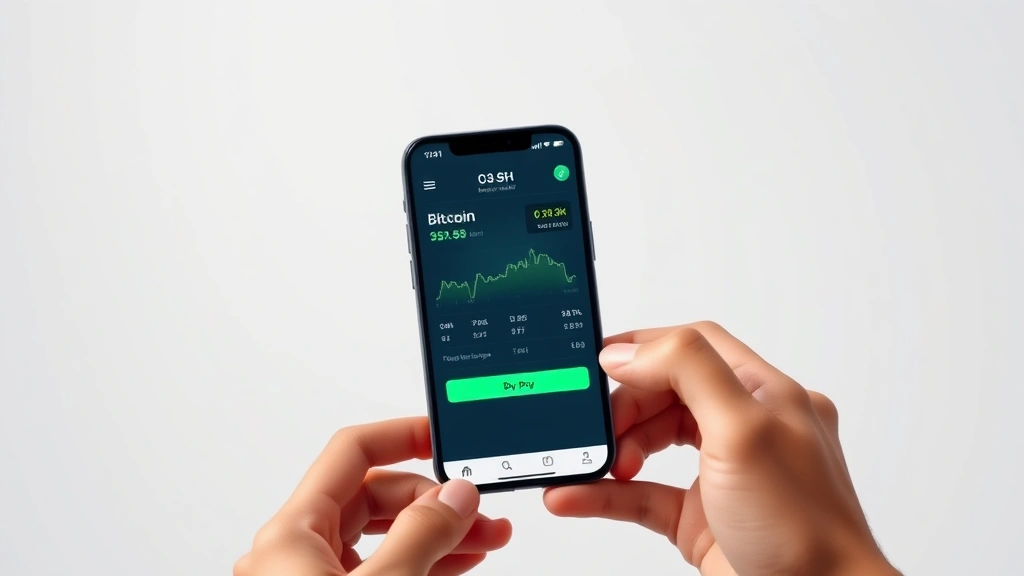
With your account verified and payment method added, you’re ready to purchase Bitcoin. Open Cash App and tap the home screen. Look for the “Investing” tab or Bitcoin icon. In some versions of the app, this appears as a separate section; in others, it’s integrated into the main menu. Tap on the Bitcoin option to access the cryptocurrency purchasing interface.
Once in the Bitcoin section, you’ll see the current price of Bitcoin displayed prominently. Select the “Buy” button to initiate a purchase. Cash App will present a screen where you can choose how much Bitcoin to buy. You can either enter a dollar amount (for example, $100) or specify a fraction of Bitcoin (for example, 0.001 BTC). The app will calculate the equivalent amount in the other unit and show you the total cost including any applicable fees.
Review the transaction details carefully. Confirm that the amount you’re purchasing is correct and that you’re using the intended payment method. Once satisfied, tap “Confirm” or “Buy” to complete the transaction. Cash App will process the purchase, and the Bitcoin will appear in your Cash App Bitcoin wallet within minutes. You’ll receive a confirmation notification, and the transaction will be recorded in your transaction history.
Cash App also allows you to set up recurring purchases, sometimes called “Dollar-Cost Averaging” (DCA). This feature enables you to buy a fixed amount of Bitcoin on a regular schedule—daily, weekly, or monthly. This strategy can reduce the impact of price volatility by spreading purchases over time, which is particularly valuable for beginners who want to avoid the psychological pressure of timing the market perfectly.
Security Considerations
Owning Bitcoin comes with security responsibilities that differ from traditional banking. While Cash App provides custodial services (meaning they hold your Bitcoin for you), you should understand the security implications. Enable all available security features in your Cash App account. This includes setting up a strong PIN code that’s separate from your account password. This PIN protects your account from unauthorized access even if someone obtains your password.
Enable two-factor authentication (2FA) if available. This adds an extra layer of security by requiring a second verification method when logging in or making transactions. Additionally, use a strong, unique password for your Cash App account—avoid using the same password across multiple accounts or using easily guessable information like birthdays or sequential numbers.
Be cautious about phishing attempts and scams. Never share your Cash App PIN, password, or recovery codes with anyone, including Cash App support staff. Legitimate Cash App representatives will never ask for this information. Be wary of unsolicited messages offering investment opportunities or requesting your account details. The cryptocurrency space attracts scammers, and vigilance is your best defense.
Consider your overall investment strategy and risk tolerance. While Cash App is convenient, it’s a custodial solution, meaning Cash App controls the private keys to your Bitcoin. For large holdings, consider transferring Bitcoin to a hardware wallet for enhanced security and full control over your assets.
Transferring Bitcoin Off Cash App
One of Bitcoin’s key features is the ability to transfer it between wallets and addresses. If you want to move your Bitcoin from Cash App to an external wallet, the process is straightforward. In the Bitcoin section of Cash App, select your Bitcoin balance to view options. Look for a “Send” or “Transfer” button. Tap it to initiate a withdrawal.
Cash App will prompt you to enter a Bitcoin address. This is a long string of characters (typically 34-42 characters for Bitcoin) that represents a destination wallet. You can generate this address from any Bitcoin wallet you own or control. Paste the address carefully—Bitcoin transactions are irreversible, and sending to an incorrect address will result in permanent loss of your funds.
Enter the amount of Bitcoin you wish to transfer. Cash App will display the transaction fee, which varies based on network congestion. Review all details before confirming. Once submitted, your Bitcoin will be sent to the specified address. The transaction will appear on the blockchain, and you can track it using a blockchain explorer by searching for your transaction ID.
Transfer times depend on Bitcoin network conditions. During periods of high activity, transactions may take several hours or even longer to complete. Patience is required, as you cannot speed up a transaction after it’s submitted. This is why it’s crucial to verify the receiving address before confirming the transaction.
Fees and Pricing
Understanding Cash App’s fee structure is essential for calculating your actual investment cost. Cash App typically charges a spread on Bitcoin purchases, meaning the price you pay is slightly higher than the market price. This spread usually ranges from 1.5% to 2%, though it can vary based on market conditions. Additionally, if you use a debit card, Cash App may charge a small transaction fee, typically around 1.5% to 2% of the purchase amount.
Bank transfers generally have lower fees than debit card purchases but take longer to process. When transferring Bitcoin off Cash App to an external wallet, you’ll pay a network fee, which goes to Bitcoin miners rather than to Cash App. Network fees fluctuate based on blockchain congestion and the transaction’s data size. During high-activity periods, these fees can be substantial, while during quiet periods, they may be minimal.
Cash App’s pricing is competitive compared to some alternatives but may be higher than advanced cryptocurrency exchanges. However, the convenience factor and user-friendly interface often justify the slightly higher costs for beginners. As you become more experienced with cryptocurrency, you might explore portfolio tracking tools and alternative platforms that offer lower fees for larger transactions.
Common Issues and Troubleshooting
Users occasionally encounter issues when purchasing Bitcoin on Cash App. One common problem is transaction delays. If your purchase hasn’t completed within the expected timeframe, check your internet connection and ensure the app is up to date. Sometimes closing and reopening the app resolves temporary glitches. If the delay persists beyond 24 hours, contact Cash App support.
Verification failures are another frequent issue. If your identity verification is declined, carefully review the reasons provided. Ensure your information exactly matches your government-issued ID. Common causes include name mismatches, outdated addresses, or unclear photos. Resubmit with corrected information and ensure lighting is adequate for facial recognition.
Payment method issues may prevent purchases. If your debit card is declined, verify that your card issuer allows cryptocurrency transactions. Some banks block cryptocurrency purchases as a fraud prevention measure. Contact your bank to authorize the transaction. Ensure sufficient funds are available and that your card hasn’t expired.
If you’re unable to access your Bitcoin after purchase, verify that your account is fully verified and that you’re looking in the correct section of the app. Sometimes Bitcoin appears in a separate “Investing” tab rather than the main wallet view. If Bitcoin genuinely isn’t appearing, contact Cash App support with your transaction ID for assistance.
Price discrepancies between Cash App and market prices can frustrate new users. Remember that Cash App’s prices include their spread. This is normal and expected. If the price seems significantly off from major exchanges like CoinDesk, allow time for the app to refresh, as prices update with a slight delay.
Important considerations for your investment journey: Diversifying your investment portfolio is crucial for long-term financial health. Bitcoin should represent only a portion of your overall investment strategy. Additionally, understanding fundamental analysis and technical analysis can help you make more informed decisions about when and how much to invest.
FAQ
Is it safe to buy Bitcoin on Cash App?
Cash App is generally safe for Bitcoin purchases. The platform uses industry-standard encryption and security protocols. However, remember that Cash App is a custodial service, meaning they hold your private keys. For large amounts, consider transferring Bitcoin to a hardware wallet you control. Always enable all available security features on your account.
What’s the minimum amount of Bitcoin I can buy on Cash App?
Cash App allows fractional Bitcoin purchases, meaning you can buy as little as $1 worth of Bitcoin. There’s no minimum transaction amount, making it accessible for beginners with limited capital. You can start with small amounts and gradually increase your holdings.
How long does it take to buy Bitcoin on Cash App?
Bitcoin purchases typically complete within minutes. However, if you’re funding the purchase with a bank transfer rather than a debit card, the funding may take several business days. Debit card purchases are nearly instantaneous.
Can I sell Bitcoin on Cash App?
Yes, selling Bitcoin on Cash App is just as simple as buying. Navigate to your Bitcoin holdings, tap “Sell,” select the amount, and confirm. The proceeds are credited to your Cash App balance, which you can then withdraw to your bank account or spend using your Cash App card.
Are there any geographic restrictions for buying Bitcoin on Cash App?
Cash App is available in the United States, and Bitcoin purchasing is supported for most users. However, some states may have additional restrictions. Check Cash App’s current availability in your specific location, and verify that your state doesn’t have unique cryptocurrency regulations.
What happens if Cash App shuts down or gets hacked?
Cash App is regulated by financial authorities and maintains insurance protections. Your Bitcoin holdings are generally protected, though it’s prudent not to store large amounts on any custodial platform. For significant holdings, transfer to a personal wallet you control to eliminate counterparty risk.
Can I use Cash App to buy Bitcoin anonymously?
No, Cash App requires identity verification to comply with financial regulations. This means your Bitcoin purchases are recorded with your identity. If privacy is important for your use case, consider alternative approaches after purchasing on Cash App.
What’s the difference between buying Bitcoin and investing in Bitcoin?
Buying Bitcoin means acquiring the asset itself, while investing in Bitcoin could also refer to purchasing Bitcoin-related securities like ETFs or futures contracts. Buying directly through Cash App gives you actual Bitcoin ownership.


