How to Get Your Bitcoin Address on Coinbase: Quick Steps
Finding your Bitcoin address on Coinbase is one of the most fundamental tasks you’ll perform as a cryptocurrency investor. Whether you’re receiving Bitcoin from another user, setting up recurring purchases through a DCA Bitcoin strategy, or simply want to track your holdings, knowing how to locate and manage your Bitcoin address is essential for secure and efficient crypto transactions. This guide walks you through the process step-by-step, ensuring you can confidently access your address whenever needed.
Coinbase, one of the world’s most popular cryptocurrency exchanges and custody platforms, makes the process straightforward for both beginners and experienced traders. Your Bitcoin address is a unique identifier that allows others to send you Bitcoin securely. It’s important to understand that each cryptocurrency has its own separate address on Coinbase, and Bitcoin addresses are distinct from your Ethereum, Litecoin, or other crypto addresses on the same platform.
Understanding Bitcoin Addresses on Coinbase
Before diving into the technical steps, it’s crucial to understand what a Bitcoin address is and how it functions within the Coinbase ecosystem. A Bitcoin address is a alphanumeric string of characters that serves as a destination for Bitcoin transactions. On Coinbase, your Bitcoin address is generated automatically when you create an account and add Bitcoin to your portfolio.
Bitcoin addresses typically begin with the number “1,” “3,” or “bc1,” depending on the address format. These prefixes indicate different types of addresses: legacy addresses (starting with 1), pay-to-script-hash addresses (starting with 3), and native segwit addresses (starting with bc1). Coinbase primarily uses segwit addresses for new accounts, which offer lower transaction fees and faster processing times.
Your Bitcoin address is public information—you can safely share it with anyone who wants to send you Bitcoin. However, it’s important to never share your private keys or seed phrases, which would give others access to your funds. Understanding this distinction is fundamental to cryptocurrency security and proper asset allocation strategies.
Coinbase generates a new receiving address for each transaction by default, which is a security best practice. This means that while your account has multiple addresses associated with it, they all belong to your Bitcoin wallet on Coinbase. This feature helps maintain privacy while ensuring all funds remain under your control.
Step-by-Step Guide to Finding Your Bitcoin Address
Method 1: Using the Coinbase Web Platform
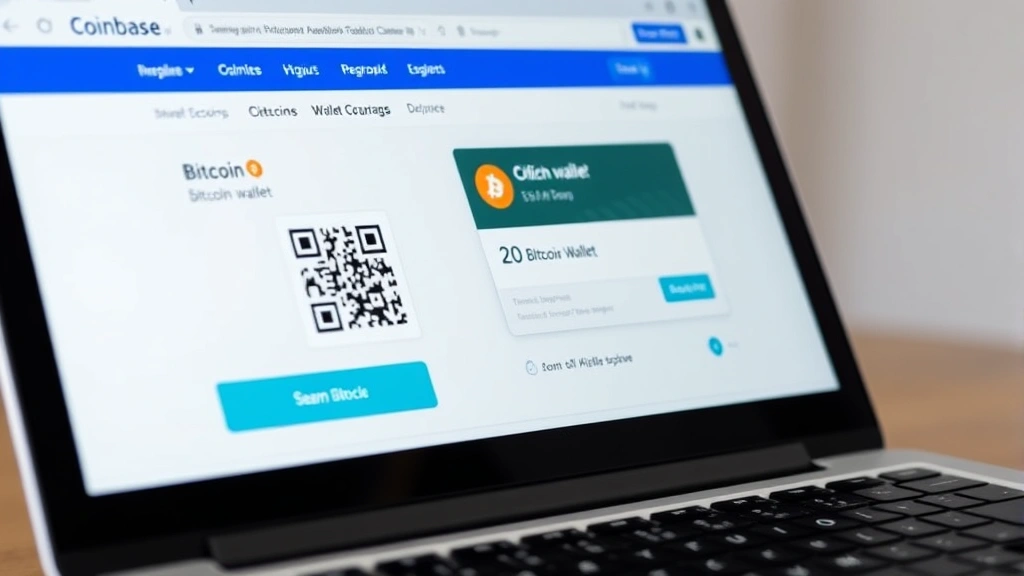
- Log into your Coinbase account at coinbase.com using your email and password.
- Navigate to the “Wallet” or “Assets” section from the main menu on the left side of your dashboard.
- Look for “Bitcoin” in your list of cryptocurrencies and click on it to open your Bitcoin wallet details.
- You’ll see your Bitcoin balance displayed prominently at the top of the page.
- Click the “Receive” button, which is typically blue and located near the top-right of the wallet interface.
- A popup window or new page will appear displaying your Bitcoin receiving address as a long string of characters.
- You can now copy this address by clicking the copy icon next to the address string, or manually select and copy it.
- The QR code displayed alongside your address can also be scanned by others to send you Bitcoin without manually entering the address.
This process takes less than a minute once you’re logged into your account. The receiving address displayed is safe to share publicly, and you can use it for multiple incoming transactions.
Method 2: Quick Access from Dashboard
If you frequently need to access your Bitcoin address, Coinbase allows quick access from your main dashboard. Simply locate the Bitcoin card on your Assets page, and you’ll see a “Receive” option directly on the card. Clicking this provides immediate access to your current receiving address without navigating through additional menus.
Mobile App Instructions
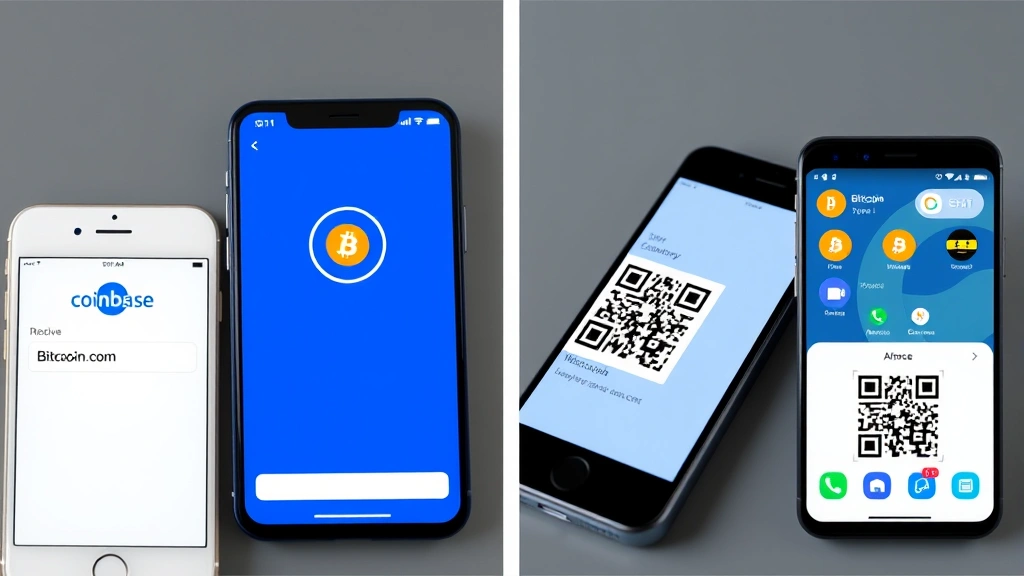
The Coinbase mobile app makes accessing your Bitcoin address equally convenient whether you’re using iOS or Android devices. The process is slightly different but equally straightforward.
For iOS Users:
- Open the Coinbase app on your iPhone or iPad.
- Tap the “Assets” tab at the bottom of the screen.
- Find and tap “Bitcoin” from your list of cryptocurrencies.
- Tap the “Receive” button displayed prominently on the screen.
- Your Bitcoin address will appear on a new screen with both the text address and QR code.
- Tap “Copy address” to copy it to your clipboard for easy sharing.
For Android Users:
- Launch the Coinbase app on your Android device.
- Select the “Assets” section from the bottom navigation menu.
- Scroll to find Bitcoin and tap on it to open your Bitcoin wallet.
- Press the “Receive” button in the center or upper portion of the screen.
- Your receiving address and QR code will be displayed immediately.
- Use the copy function to save your address to your device’s clipboard.
Mobile access is particularly useful when you need to quickly receive Bitcoin in person or share your address verbally. The QR code feature is especially valuable in these scenarios, as others can scan it directly without needing to type your address manually.
Security Considerations for Your Bitcoin Address
While your Bitcoin address is public and safe to share, security best practices remain important. Your address itself cannot be used to steal your funds—only your private keys or seed phrase can compromise your account. However, there are still several precautions you should take.
Verification Best Practices:
- Always verify you’re on the legitimate Coinbase website before entering your login credentials. Phishing sites mimicking Coinbase are common.
- Enable two-factor authentication (2FA) on your Coinbase account to add an extra security layer.
- Use a strong, unique password that you don’t use on other platforms.
- Keep your device’s operating system and antivirus software updated.
- Never share your private keys, seed phrases, or API keys with anyone, including Coinbase support staff.
When sharing your Bitcoin address, consider the context. While it’s safe to post your address publicly if you’re requesting donations or payments, be cautious about revealing transaction patterns that might compromise your privacy. Some investors prefer to use separate addresses for different purposes as part of their broader portfolio tracking strategy.
Coinbase employs industry-leading security measures including cold storage for the majority of customer funds, insurance coverage for digital assets, and regular security audits. However, the security of your account ultimately depends on the strength of your login credentials and authentication methods.
Managing Multiple Bitcoin Addresses
Coinbase generates a new Bitcoin address for each transaction request by default. This practice, known as address reuse avoidance, enhances privacy and is considered a security best practice in the cryptocurrency community. You may notice that your receiving address changes each time you request a new one.
All of these addresses belong to your Bitcoin wallet on Coinbase and are controlled by your account. Funds sent to any of these addresses will appear in your Bitcoin balance. This system is designed to protect your privacy by preventing others from easily tracking all your Bitcoin transactions through blockchain analysis.
If you prefer to use a static address for recurring transactions, you can request the same address multiple times, though Coinbase may continue to generate new ones automatically. For permanent address needs, some investors explore cryptocurrency hardware wallets or other custody solutions that provide fixed addresses.
Understanding how to manage multiple addresses is particularly important if you’re implementing a sophisticated investment strategy that involves tracking funds from different sources or maintaining multiple portfolios.
Copying and Sharing Your Address Safely
Once you’ve located your Bitcoin address, the next step is often to copy and share it. Coinbase makes this process simple with built-in copy functions available on both web and mobile platforms.
Safe Sharing Methods:
- Direct messaging: Share your address through encrypted messaging apps or secure email.
- QR codes: Use the QR code feature for in-person transactions or digital sharing.
- Public platforms: Post your address on public forums, social media, or donation pages if appropriate for your use case.
- Verification: When sharing via text or email, always double-check that the address was transmitted correctly.
A common security concern is whether copying your address to your clipboard poses risks. The answer is no—your clipboard access is controlled by your device’s operating system, and legitimate applications cannot access it without permission. However, if your device is compromised by malware, malicious software could potentially modify addresses you copy. This is another reason to keep your device secure with updated antivirus software.
When receiving Bitcoin from others, it’s good practice to confirm the first few and last few characters of the address match what you intended to share. This simple check prevents many accidental sending errors.
Troubleshooting Common Issues
Address Not Displaying:
If your Bitcoin address isn’t appearing when you click “Receive,” try refreshing your browser or closing and reopening the mobile app. Occasionally, temporary glitches prevent the address from loading. If the problem persists, clear your browser cache or reinstall the mobile app.
Multiple Addresses Confusion:
If you’re confused about having multiple addresses, remember that this is normal and intentional. All addresses belong to your Bitcoin wallet and will receive funds into your account. You can verify this by checking your transaction history—funds sent to any of your addresses will appear in your Bitcoin balance.
Address Format Questions:
Modern Coinbase addresses typically start with “bc1” and are longer than legacy addresses. This is normal and represents an improvement over older address formats. All formats are fully compatible and will work correctly.
Cannot Access Account:
If you cannot log into your Coinbase account, use the “Forgot Password” option on the login page. You’ll receive an email with instructions to reset your password. Make sure to check your spam folder if you don’t see the email immediately. For account recovery issues, contact Coinbase support through their official website.
Security Concerns:
If you suspect unauthorized access to your account, immediately change your password and review your login activity. Coinbase displays your recent login locations and devices in your account settings. If you see unfamiliar activity, enable additional security measures and contact Coinbase support.
For investors managing significant Bitcoin holdings as part of their investment goals, consider using Coinbase Custody or other institutional-grade solutions that provide additional security features and insurance coverage.
FAQ
Can someone steal my Bitcoin using my address?
No. Your Bitcoin address alone cannot be used to steal funds. Only your private keys or seed phrase grant access to your Bitcoin. Your address is public information designed to receive funds, not send them.
Why does my Bitcoin address change?
Coinbase generates a new address for each transaction request to enhance privacy. This is a security best practice that prevents easy blockchain analysis of your transaction patterns. All addresses belong to your account and will receive funds into your Bitcoin balance.
How many Bitcoin addresses can I have on Coinbase?
You can have unlimited Bitcoin addresses on Coinbase. The platform generates new ones automatically, and you can also request additional addresses manually. All addresses are associated with your single Bitcoin wallet.
Is it safe to post my Bitcoin address publicly?
Yes, posting your Bitcoin address publicly is completely safe. It’s designed to be shared. However, be mindful of privacy implications if you’re posting on personal accounts where the address could be linked to your identity.
What’s the difference between my Bitcoin address and my private key?
Your Bitcoin address is public and used to receive funds. Your private key is secret and grants access to your funds. Never share your private key with anyone. Coinbase stores your private keys securely on your behalf.
Can I use the same Bitcoin address for multiple transactions?
Yes, you can send multiple transactions to the same address. However, Coinbase generates new addresses by default for privacy reasons. You can request the same address again if needed for recurring payments.
What should I do if I accidentally sent Bitcoin to the wrong address?
Bitcoin transactions are irreversible. If you sent to the wrong address, you cannot recover the funds unless you control that address. Always verify addresses carefully before confirming transactions.
How do I know my Bitcoin address is correct?
Verify that your address starts with “bc1,” “1,” or “3” and is a string of approximately 26-35 characters. You can also verify by checking your Coinbase wallet history to see incoming transactions to that address.
Can I change my Bitcoin address on Coinbase?
You cannot change your address, but you can request a new one at any time. Coinbase automatically generates new addresses for each receiving request as a privacy feature.
Is Coinbase’s Bitcoin address system secure?
Yes. Coinbase uses industry-standard security protocols, cold storage for most funds, insurance coverage, and regular security audits. Your address itself poses no security risk, and Coinbase’s systems are regularly tested by third-party security firms.


