How to Check Bitcoin Wallet Balance: Complete User Guide
Managing your Bitcoin holdings effectively starts with understanding how to check your wallet balance accurately and securely. Whether you’re a seasoned investor tracking your Bitcoin price movements or a beginner exploring cryptocurrency, knowing how to monitor your wallet is essential. This comprehensive guide walks you through multiple methods to check your Bitcoin wallet balance, ensuring you stay informed about your digital assets at all times.
Bitcoin wallets come in various forms—from hardware devices to software applications to web-based platforms. Each method has distinct advantages and security considerations. Understanding how to properly access and verify your balance protects you from common pitfalls and ensures you’re always aware of your holdings. In this guide, we’ll explore practical approaches that work for different wallet types and user preferences.
Understanding Bitcoin Wallets and Balance Checking
Before diving into specific methods, it’s crucial to understand what a Bitcoin wallet actually is. A Bitcoin wallet is a digital tool that stores your private keys—the cryptographic passwords that give you access to your Bitcoin holdings. Your balance represents the total amount of Bitcoin associated with your public addresses, which are like bank account numbers that anyone can see but only you can control with your private keys.
When you check your Bitcoin wallet balance, you’re essentially querying the blockchain—the distributed ledger that records all Bitcoin transactions. This is fundamentally different from traditional banking, where a central institution maintains your account balance. With Bitcoin, the blockchain is the source of truth, and your balance is determined by all unspent transaction outputs (UTXOs) associated with your addresses.
Understanding Bitcoin fundamentals helps you grasp why balance checking works the way it does. Your wallet software simply reads the blockchain data and calculates your balance based on transactions involving your addresses. This means you can check your balance from any device, as long as you have your public address—you don’t need your private keys to view your balance, only to spend your Bitcoin.
Different wallet types—hot wallets, cold wallets, custodial wallets, and non-custodial wallets—each have their own methods for balance verification. The common thread is that all legitimate balance checks ultimately reference the Bitcoin blockchain.
Using Blockchain Explorers to Check Your Balance
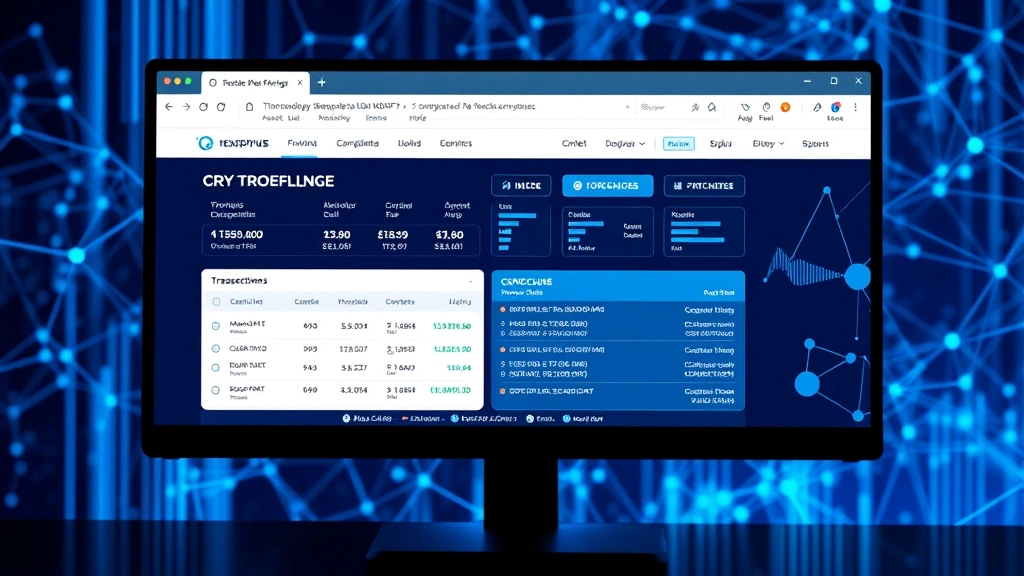
One of the most transparent and accessible ways to check your Bitcoin wallet balance is through a blockchain explorer. These are web-based tools that allow anyone to view Bitcoin transactions and addresses on the blockchain. Blockchain.com Explorer is one of the most popular and user-friendly options available.
To check your balance using a blockchain explorer, follow these steps. First, visit a reputable blockchain explorer website. Copy your Bitcoin public address—the long string of characters that represents where your Bitcoin is stored. Paste this address into the explorer’s search bar and press enter. Within seconds, the explorer displays your complete transaction history and current balance.
Blockchain explorers show several important details beyond just your balance. You’ll see all incoming transactions, all outgoing transactions, the number of confirmations for each transaction, and the total value received and spent from that address. This transparency is one of Bitcoin’s defining features—anyone can verify any transaction without needing permission from any central authority.
Popular blockchain explorers include Blockchair, Blockchain.com, and Blockstream. Each offers slightly different features and interfaces, but they all accomplish the same core function: displaying your balance and transaction history. Some explorers allow you to set price alerts, view advanced statistics, and analyze transaction patterns.
An important security note: using a blockchain explorer is completely safe because you’re only sharing your public address, not your private keys. Your public address is meant to be shared—it’s how others send you Bitcoin. However, sharing your address publicly does reduce your privacy since anyone can see your transaction history and balance.
Checking Balance Through Wallet Software
Most Bitcoin wallet applications—whether desktop or web-based—display your balance prominently on their main dashboard. When you open your wallet software, the balance typically appears immediately, often in multiple currencies for convenience. Desktop wallets like Bitcoin Core and Electrum show your balance in their main interface.
Desktop wallets offer several advantages for balance checking. They sync directly with the Bitcoin network, providing real-time balance information. They show detailed transaction histories, allowing you to track exactly where your Bitcoin came from and where it went. Most importantly, they maintain your private keys locally on your computer, giving you complete control over your funds.
To check your balance in desktop wallet software, simply launch the application. If it’s your first time, it may take several minutes to sync with the Bitcoin network. Once synced, your balance displays prominently. You can usually click on individual transactions to see more details, including transaction IDs (txids), timestamps, and confirmation counts.
Web-based wallets like those offered by certain cryptocurrency exchanges also display your balance immediately upon login. However, these custodial wallets store your private keys on their servers, meaning you trust the exchange to secure your funds. This trade-off offers convenience but reduces security compared to self-custodial wallets where you control your private keys.
Many wallet applications also provide features beyond simple balance checking. They show fee estimates for sending Bitcoin, display your transaction history with filters and search capabilities, and allow you to create multiple addresses for organizational purposes. Some advanced wallets even show derivative trading opportunities and price data.
Mobile Wallet Balance Verification
Mobile Bitcoin wallets have become increasingly popular due to their convenience and accessibility. Apps like Blue Wallet, Exodus, Trust Wallet, and others allow you to check your balance from anywhere using your smartphone. These applications sync with the Bitcoin network and display your balance instantly.
Using mobile wallets for balance checking is straightforward. After installing the app and setting up your wallet (or importing an existing one), your balance displays on the home screen. Most mobile wallets update in real-time as new transactions occur. They also show your transaction history in a chronological format, making it easy to track your Bitcoin activity.
Mobile wallets offer particular advantages for frequent balance checking. You can verify your holdings at any time, from anywhere, without needing a computer. Many apps include price tracking features, showing your balance in multiple currencies and displaying real-time Bitcoin price changes. Push notifications can alert you when transactions occur, keeping you informed instantly.
Security considerations for mobile wallets include ensuring your phone is password-protected, keeping your operating system updated, and using reputable wallet applications from established developers. Never share your recovery seed phrase with anyone, as it grants complete access to your funds. Be cautious when granting app permissions—your wallet shouldn’t need access to your camera or contacts.
Some mobile wallets support multiple cryptocurrencies beyond Bitcoin, allowing you to manage your entire portfolio in one application. Others specialize exclusively in Bitcoin, providing a more focused experience. Your choice depends on your needs and preferences.
Hardware Wallet Balance Checks
Hardware wallets like Ledger, Trezor, and KeepKey store your private keys on a physical device, offering the highest security level for Bitcoin storage. Checking your balance with a hardware wallet involves connecting the device to a computer or mobile phone and using the manufacturer’s software.
To check your hardware wallet balance, connect your device to your computer and open the associated software application. The software communicates with your hardware wallet to retrieve your public addresses and queries the blockchain to calculate your balance. This process is secure because your private keys never leave the hardware wallet—the software only accesses the information needed to display your balance and create transactions.
Hardware wallet manufacturers provide official applications for balance checking. Ledger Live, for example, is Ledger’s comprehensive portfolio management application that displays your Bitcoin balance alongside other cryptocurrencies if you hold them. Trezor Suite serves the same purpose for Trezor users. These applications are designed specifically to work with their respective hardware wallets and ensure maximum security.
One advantage of hardware wallets is that they allow you to check your balance without exposing your private keys to internet-connected devices. Your hardware wallet signs transactions internally, then sends only the signed transaction to the software to broadcast to the network. This architecture prevents malware on your computer from stealing your Bitcoin.
Hardware wallets also typically support multiple addresses, allowing you to organize your holdings across different addresses for various purposes. You can verify each address’s balance individually through the wallet software, providing detailed insights into your Bitcoin distribution.
Security Best Practices When Checking Wallets
While checking your Bitcoin wallet balance is a routine activity, security should always be your priority. Several best practices protect you from common threats and vulnerabilities. First, always ensure you’re using legitimate wallet software or blockchain explorers from official sources. Malicious applications designed to look like legitimate wallets can steal your private keys or seed phrases.
Verify URLs carefully before entering any wallet information. Phishing websites designed to mimic legitimate wallets are common threats. Always type URLs directly rather than clicking links, or use browser bookmarks for sites you visit frequently. Check for HTTPS encryption and legitimate SSL certificates.
Never share your private keys, seed phrases, or recovery words with anyone, regardless of who asks. Legitimate wallet developers and support staff will never request this information. If anyone asks for your private keys, you can be certain it’s a scam. Similarly, be extremely cautious about screenshot sharing or recording your screen when your wallet is open.
When using blockchain explorers, remember that sharing your public address reduces your privacy, though it doesn’t compromise your security. Anyone who knows your address can see your balance and transaction history. Some users create multiple addresses for different purposes to maintain privacy.
Keep your devices updated with the latest security patches. This applies to computers running desktop wallets, phones running mobile wallets, and any devices used to access web-based wallets. Outdated software can contain security vulnerabilities that malicious actors exploit.
For significant holdings, consider using a hardware wallet and keeping it offline except when making transactions. This “cold storage” approach minimizes your exposure to online threats. For smaller amounts you use more frequently, a mobile or desktop wallet provides convenient access while maintaining reasonable security if you follow best practices.
Understanding risk tolerance also applies to wallet security decisions. Different security approaches suit different situations and comfort levels.
Troubleshooting Common Balance Issues
Sometimes when checking your Bitcoin wallet balance, you might encounter discrepancies or unexpected results. Understanding common issues helps you troubleshoot effectively. One frequent issue is unconfirmed transactions. When you send Bitcoin, the transaction initially appears as “pending” or “unconfirmed” in your wallet. The balance might show the funds as sent even though the transaction hasn’t been fully processed. Unconfirmed transactions typically resolve within minutes to hours as miners include them in blocks.
Another common issue involves wallet synchronization. If you’re using a desktop wallet, it needs to sync with the Bitcoin network. If your wallet shows an old balance, it might not be fully synced. Check the sync progress in your wallet’s settings—it should show a percentage complete or indicate “fully synced.” Syncing can take considerable time if you haven’t opened the wallet recently.
Low transaction fees can also affect balance verification. If you sent Bitcoin with an unusually low fee, the transaction might take longer to confirm. You can check the transaction status using a blockchain explorer by searching for your transaction ID (txid). The explorer shows how many confirmations your transaction has received.
If your wallet software shows a different balance than a blockchain explorer, the wallet might not be fully updated. Close and reopen your wallet application, or restart your computer. Web-based wallets sometimes display cached information that becomes outdated.
For hardware wallets, if your balance doesn’t display correctly, try reconnecting the device or reinstalling the software. Ensure you’re using the official manufacturer’s software, as unofficial alternatives can cause display errors or security issues.
If you’ve received Bitcoin but don’t see it in your wallet, verify you’re looking at the correct address. Some wallets generate new addresses for each transaction, which can be confusing. Check your wallet’s transaction history for incoming transactions, and use a blockchain explorer to confirm the transaction was broadcast to the network.
Blockchain forks—temporary splits in the Bitcoin network—rarely affect your balance, but if you’re concerned, a blockchain explorer provides the definitive answer about your actual balance on the longest valid chain. Bitcoin price movements and network conditions can sometimes cause temporary display issues in wallet software, but your actual balance on the blockchain remains accurate.
For miners or high-volume traders, balance discrepancies might relate to dust outputs or unspent transaction outputs below certain thresholds. These tiny amounts don’t display in some wallet software but exist on the blockchain.
FAQ
What’s the safest way to check my Bitcoin wallet balance?
The safest method depends on your security needs. For maximum security, use a hardware wallet connected to its official software. For convenience with reasonable security, use a reputable mobile or desktop wallet. Using a blockchain explorer with your public address is safe for viewing balance but reduces privacy. Never check your balance using public computers or unsecured networks.
Can I check my Bitcoin balance without my private keys?
Yes, absolutely. Your public address is meant to be shared. You can check your balance using only your public address through blockchain explorers or wallet software. Your private keys are only needed to spend your Bitcoin, not to view your balance.
How often should I check my Bitcoin wallet balance?
Check your balance as frequently as you need to. For long-term holders, checking occasionally suffices. For active traders, checking daily or multiple times daily is common. There’s no harm in checking frequently—it doesn’t affect your security as long as you’re using legitimate tools.
Why does my balance show differently in different wallets?
This usually indicates synchronization issues. Different wallet software might not be fully synced with the current blockchain state. Use a blockchain explorer as the definitive source—it always shows accurate information since it directly queries the blockchain network.
Is it safe to share my Bitcoin address?
Yes, sharing your public address is completely safe. It’s similar to sharing your email address—others need it to send you Bitcoin. However, sharing publicly does reduce your privacy since anyone can see your balance and transaction history.
What should I do if my balance is incorrect?
First, check a blockchain explorer using your public address to verify the actual balance on the network. If the explorer shows a different amount, your wallet software needs updating or syncing. Close and reopen the application, or restart your device. If the blockchain explorer also shows unexpected results, check your transaction history to identify any unconfirmed or pending transactions.


